ANSMIND · runs on ANSBOX

The AI operating system for your ANSBOX.

One on-prem box, every AI capability — vision fused with a local LLM, a catalogue of AI apps you can extend into any custom application, and an AI coder that puts your boxes to work as a crew. 100% on-device.

100% on-device Local LLM × vision AI Apps catalogue Multi-box crew coding No cloud fees

The platform

One ANSBOX — five superpowers.

ANSMIND turns the box into the foundation for any AI application, for any user.

See

Every AI vision task — faces, plates, OCR, objects, anomalies — running on live cameras.

Think

LLMs running on the device itself — reason over what the box sees, decide, and assist.

Interact

Connect to the real world — read sensors, control hardware, automate responses.

Extend

Limitless capability — add AI tasks, learn from your docs and databases (RAG), MCP.

Integrate

Plug into any system — web chatbot, CMS, mobile apps, open API.

AI Vision · vision × LLM

Your cameras can see. ANSMIND understands.

AI Vision fuses computer-vision tasks with the local LLM — so every detection becomes something you can read, search and ask about, in plain language.

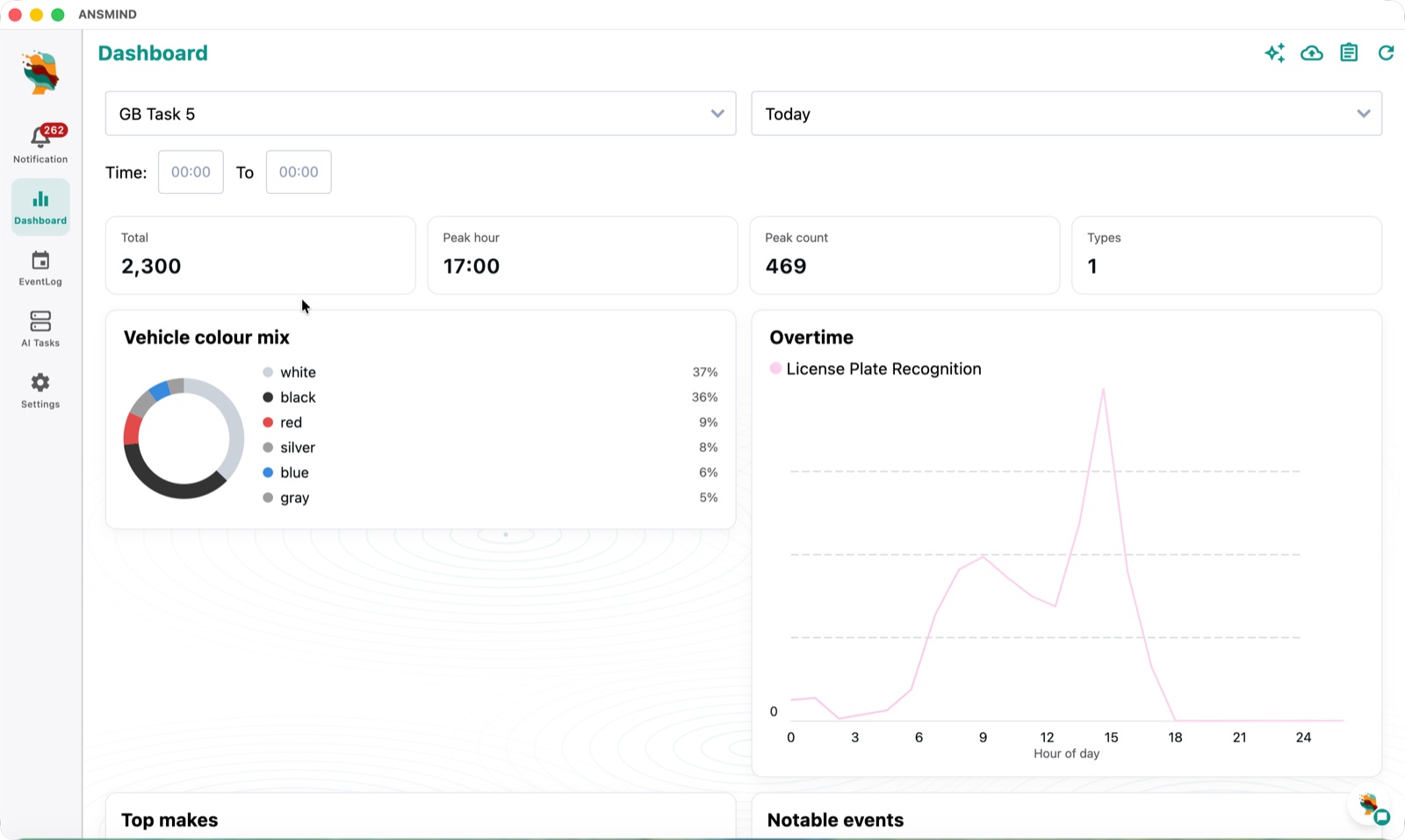
ANSMIND AI Vision dashboard — total detections, peak hour, vehicle colour mix and a 24-hour licence-plate recognition curve
Live command centreLive dashboard — totals, peak hour, vehicle colour mix and the 24-hour detection curve for every AI task, updated in real time.
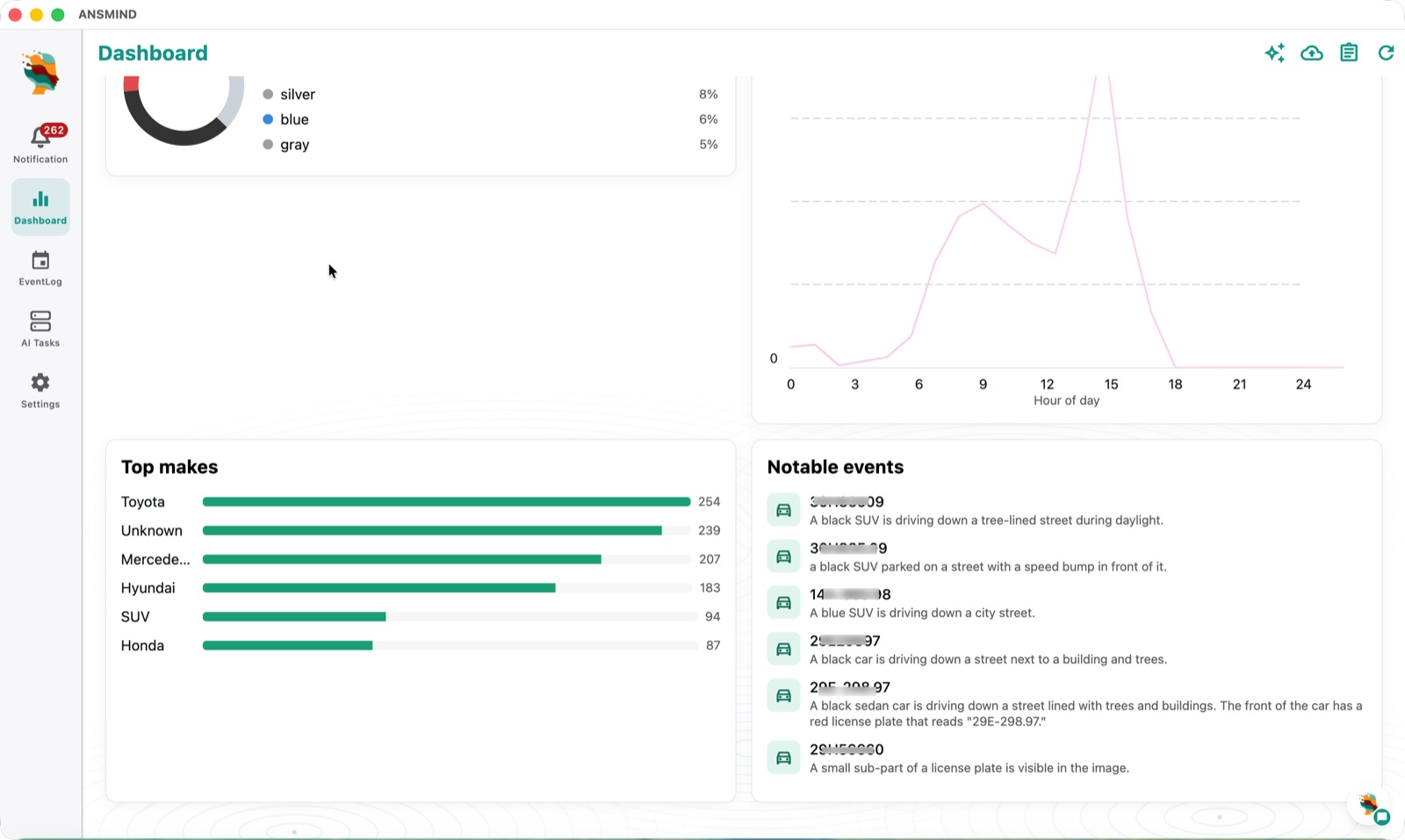
Dashboard with top vehicle makes and notable events described in plain language by the on-device LLM
The LLM reads every frameNotable events — the LLM turns raw detections into readable moments: "a black SUV parked on a street with a speed bump in front of it."
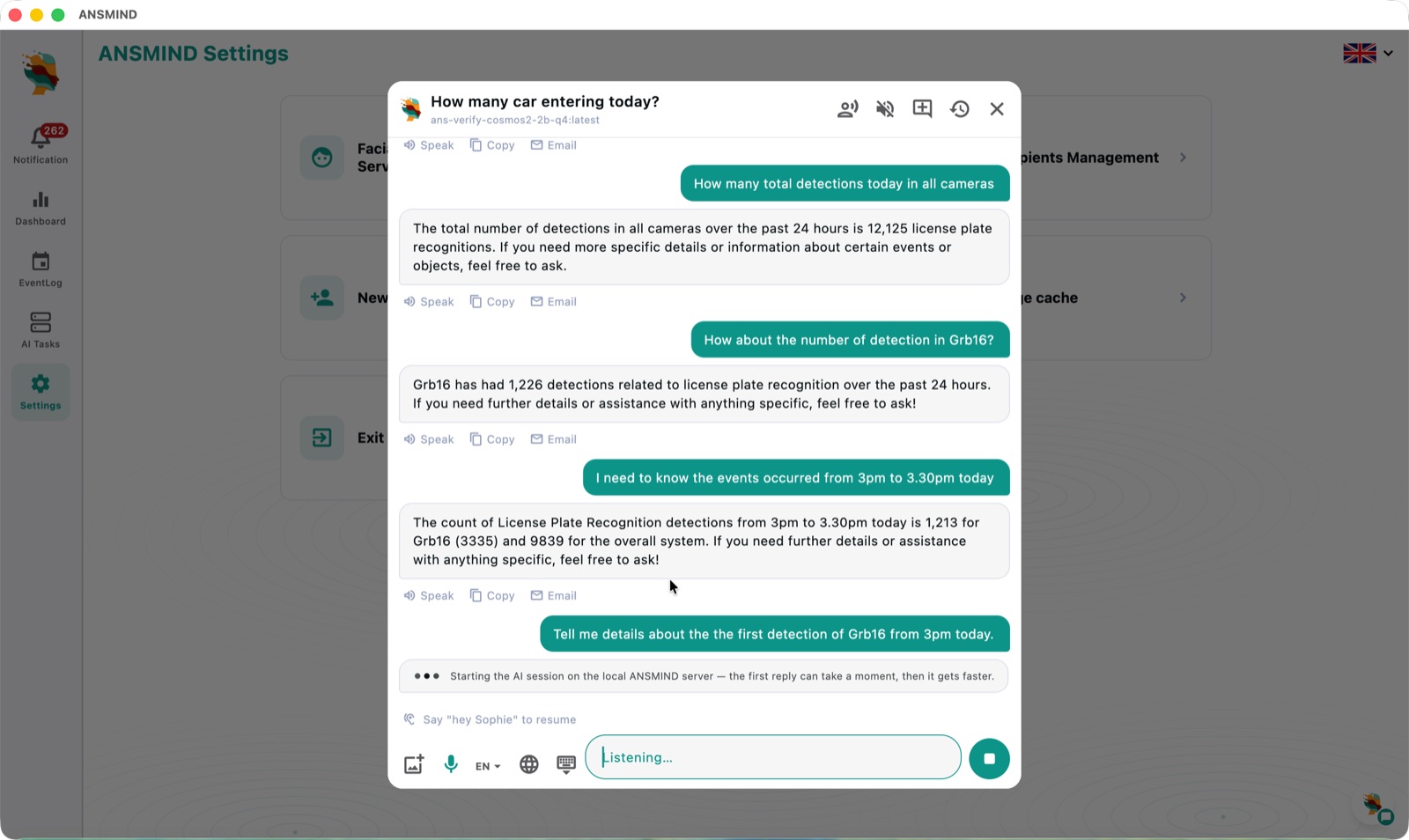
ANSMIND chat answering questions such as how many total detections today in all cameras — with voice input
Ask by text or voiceAsk the system — "How many cars entering today?" Answers come from live data, hands-free with "hey Sophie" voice control.
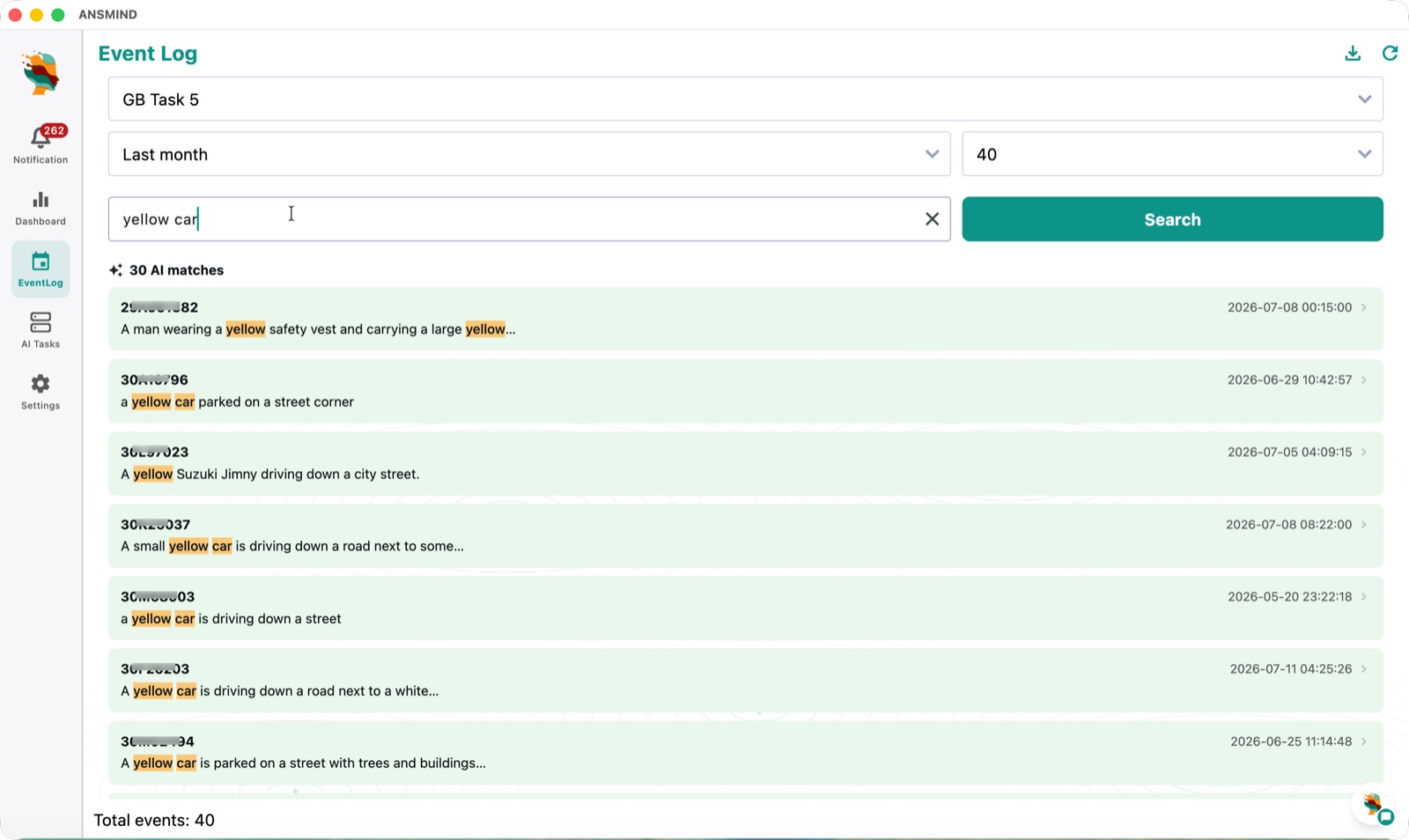
Event log searched with the phrase yellow car, returning 30 AI-matched events with highlighted descriptions
Search like you speakLLM search — type "yellow car" and get 30 AI matches across the month, ranked and highlighted.
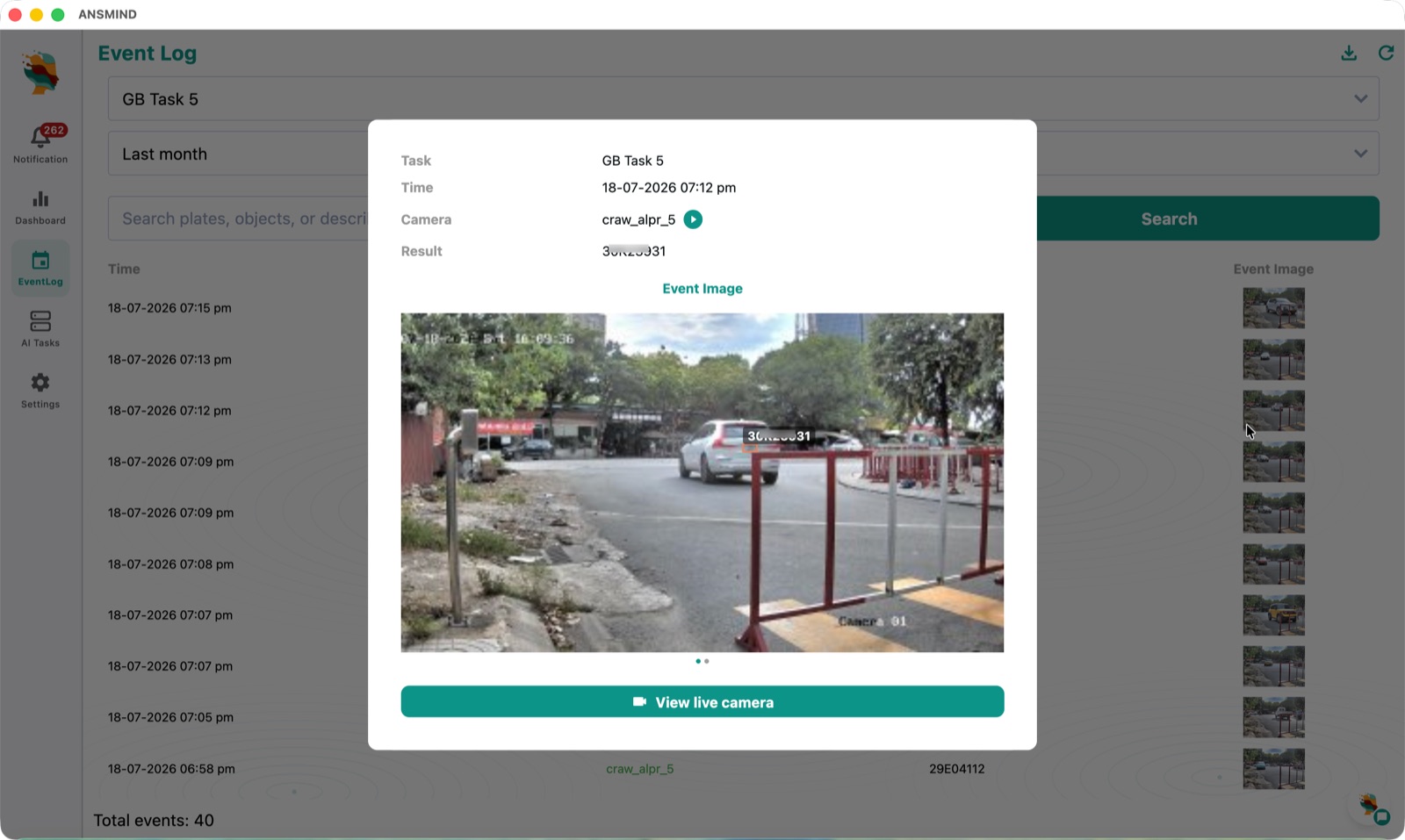
Event log detail — a plate detection with time, camera, result and event image, with a jump to the live camera
Search like you speakEvent detail — every hit opens with time, camera, plate and image — one tap to the live feed.
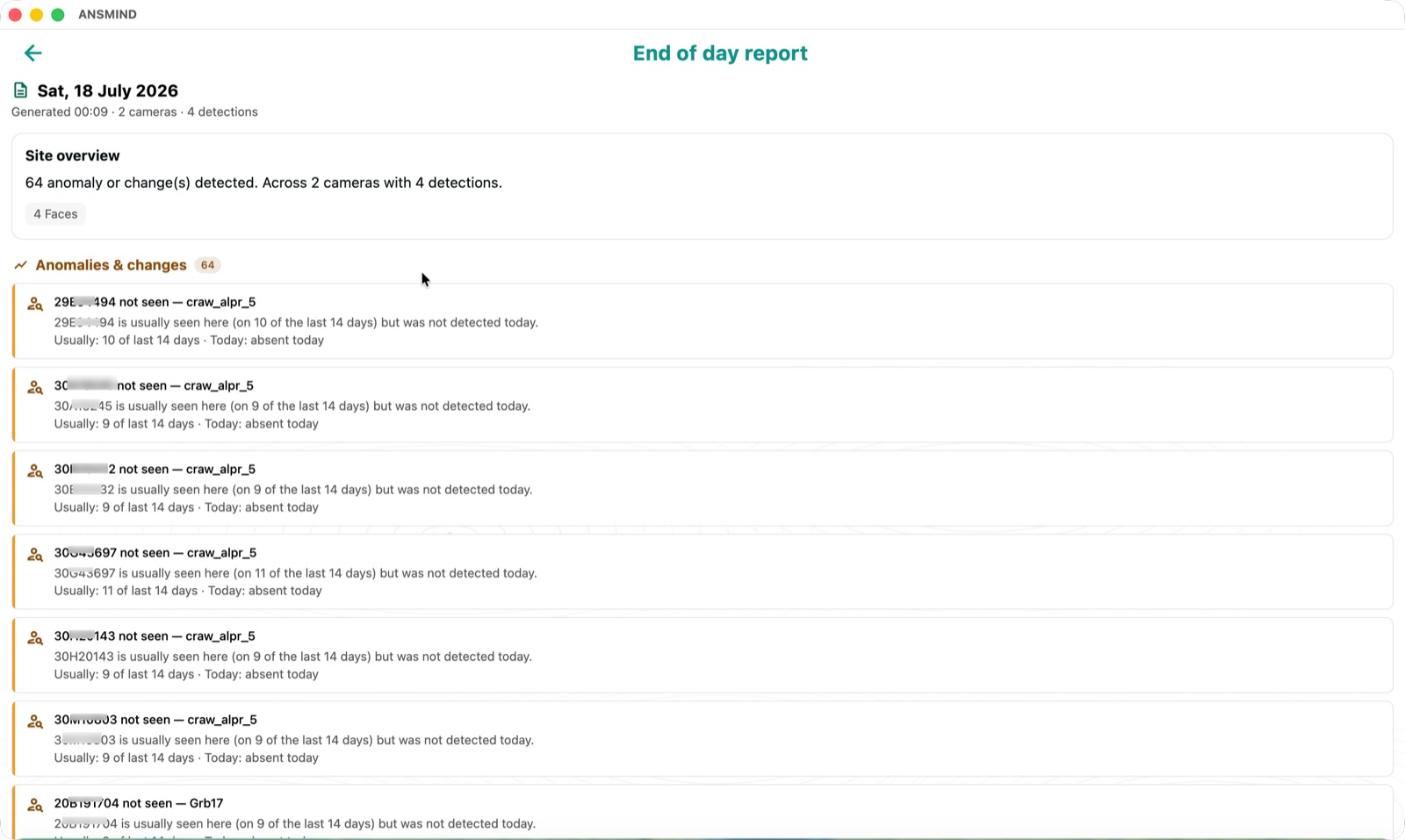
End of day report listing anomalies and changes, such as plates usually seen on 10 of the last 14 days that were absent today
A briefing every dayEnd-of-day report — 64 anomalies flagged, including regulars that went missing: "seen 10 of the last 14 days, absent today."
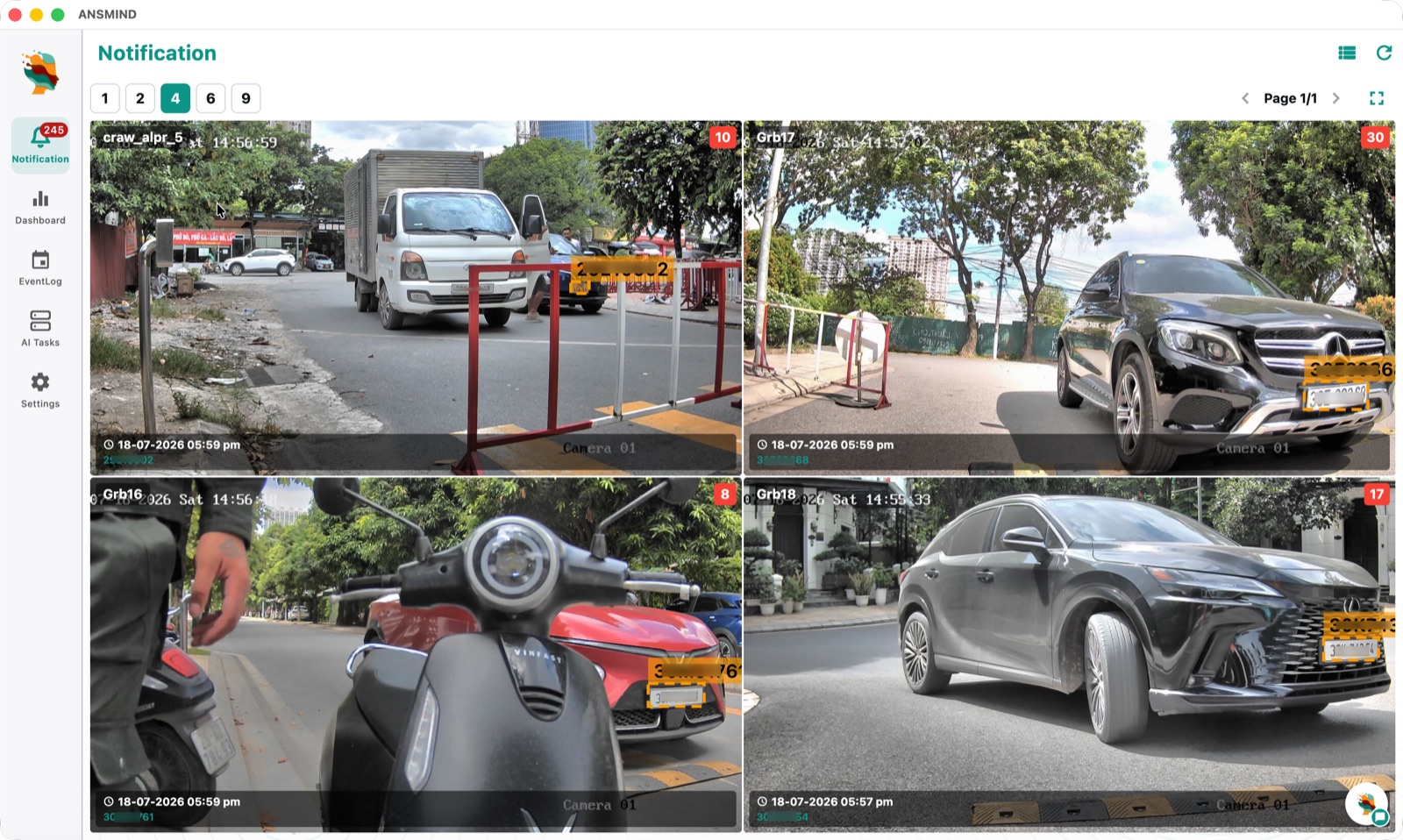
Notification wall showing four live camera feeds with plate detections boxed and time-stamped
An alert every momentLive notification wall — every camera, every detection, boxed and time-stamped as it happens.
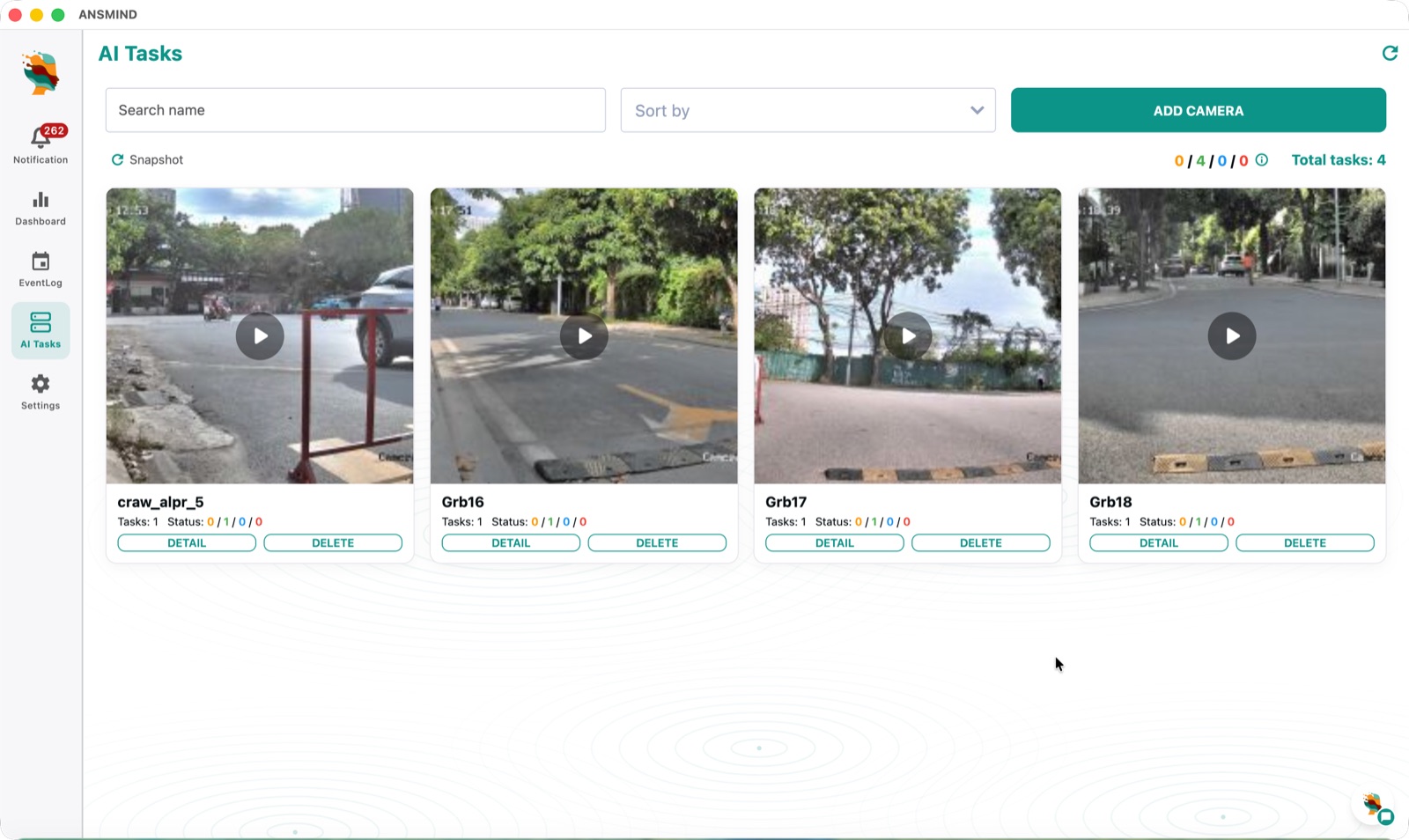
AI Tasks screen — camera cards each with task counts and status, plus an Add Camera button
No-code AI tasksAI tasks — every camera with its tasks and live status, managed from one screen.
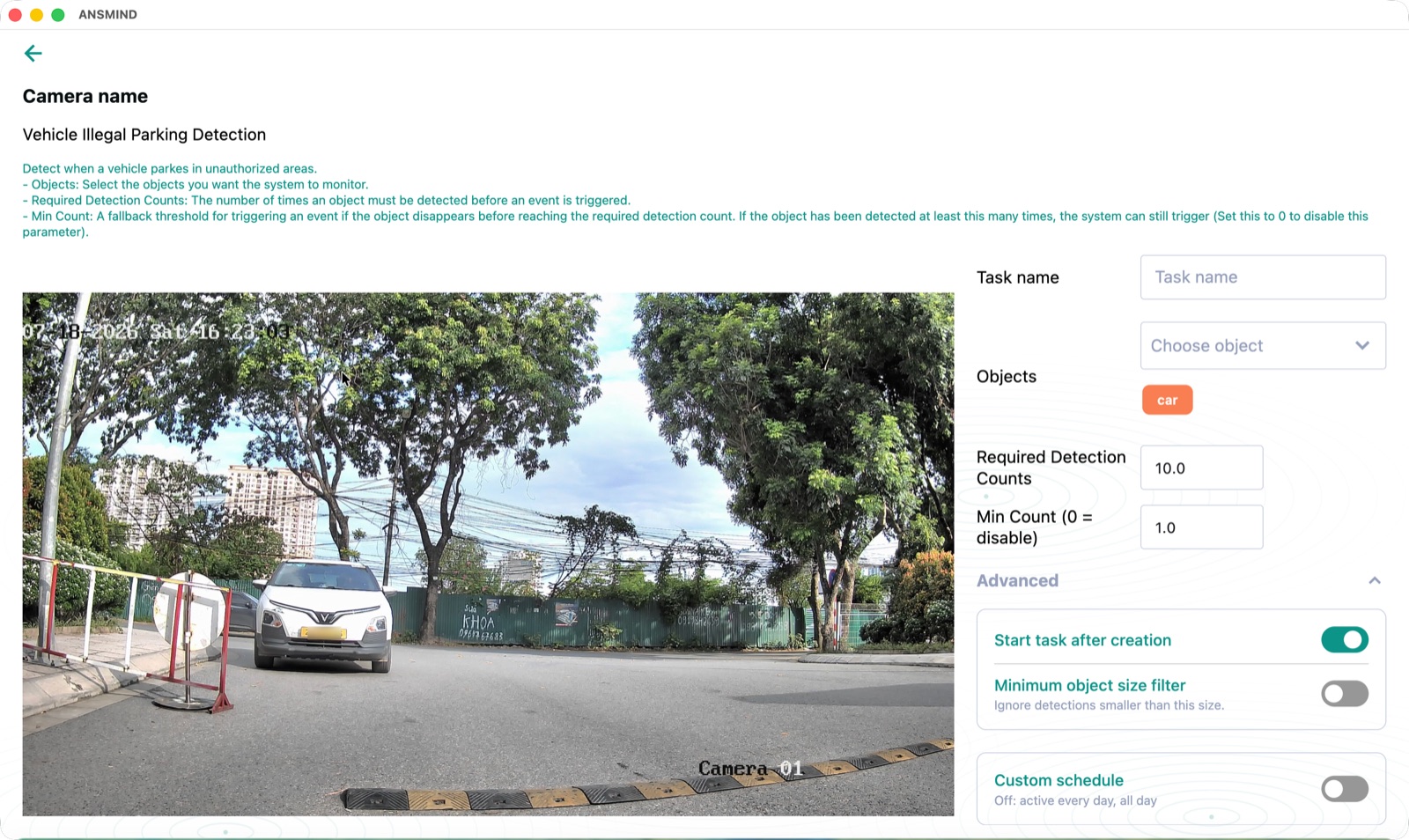
Task creation for vehicle illegal parking detection — choose objects, detection counts, schedule and advanced options
No-code AI tasksTask setup — illegal parking detection configured with objects, thresholds and schedules — all point-and-click.

AI Applications

Extend ANSBOX into any application.

AI Vision is just the first app. ANSMIND ships a growing catalogue — tutoring, legal analysis, transcription, attendance — and the same building blocks let you compose your own.

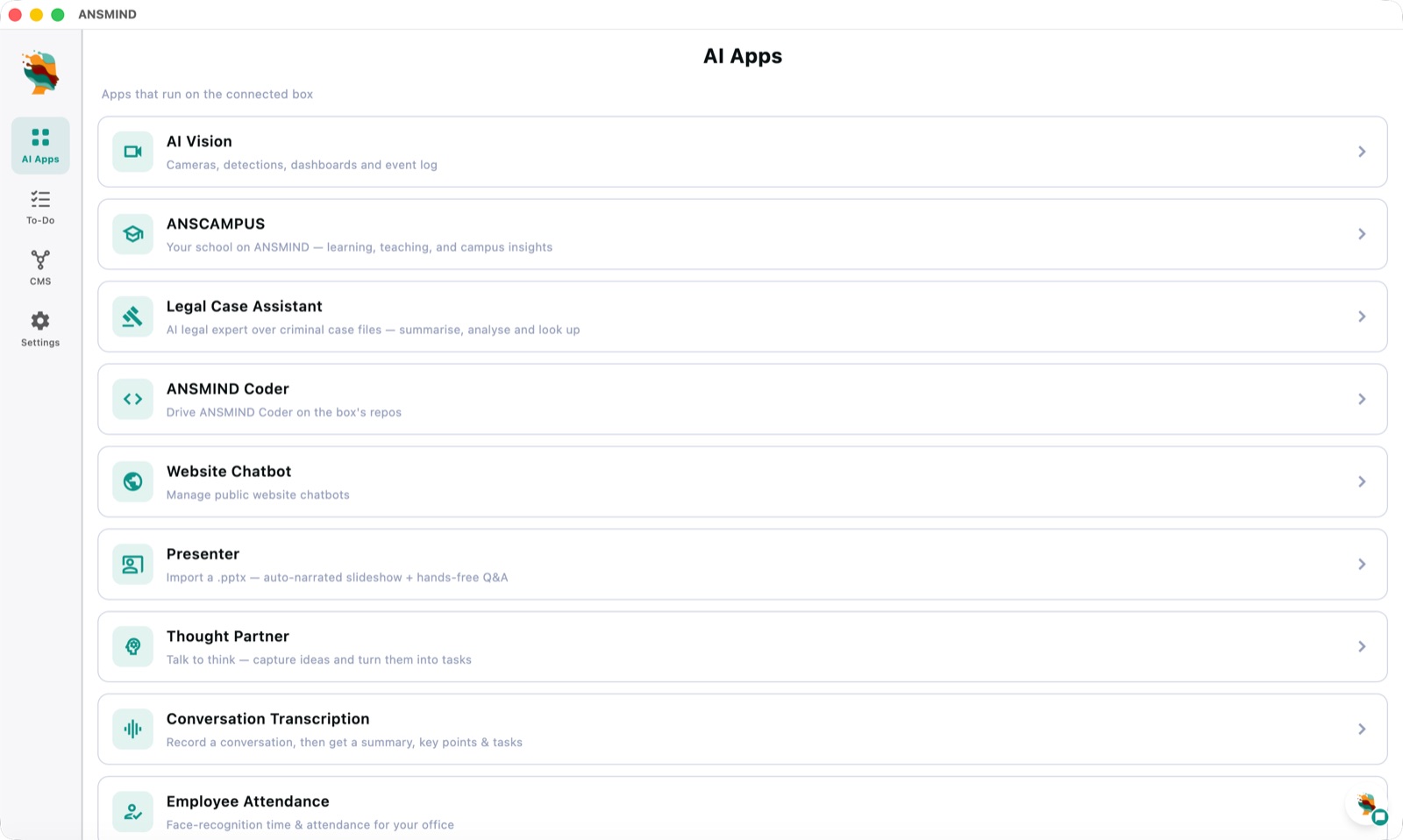
AI Apps catalogue on ANSMIND — AI Vision, ANSCAMPUS, Legal Case Assistant, ANSMIND Coder, Website Chatbot, Presenter, Thought Partner, Conversation Transcription and Employee Attendance
The catalogueAI Apps — AI Vision, ANSCAMPUS, Legal Case Assistant, ANSMIND Coder, Website Chatbot, Presenter, Thought Partner, Conversation Transcription, Employee Attendance — all running on the connected box.
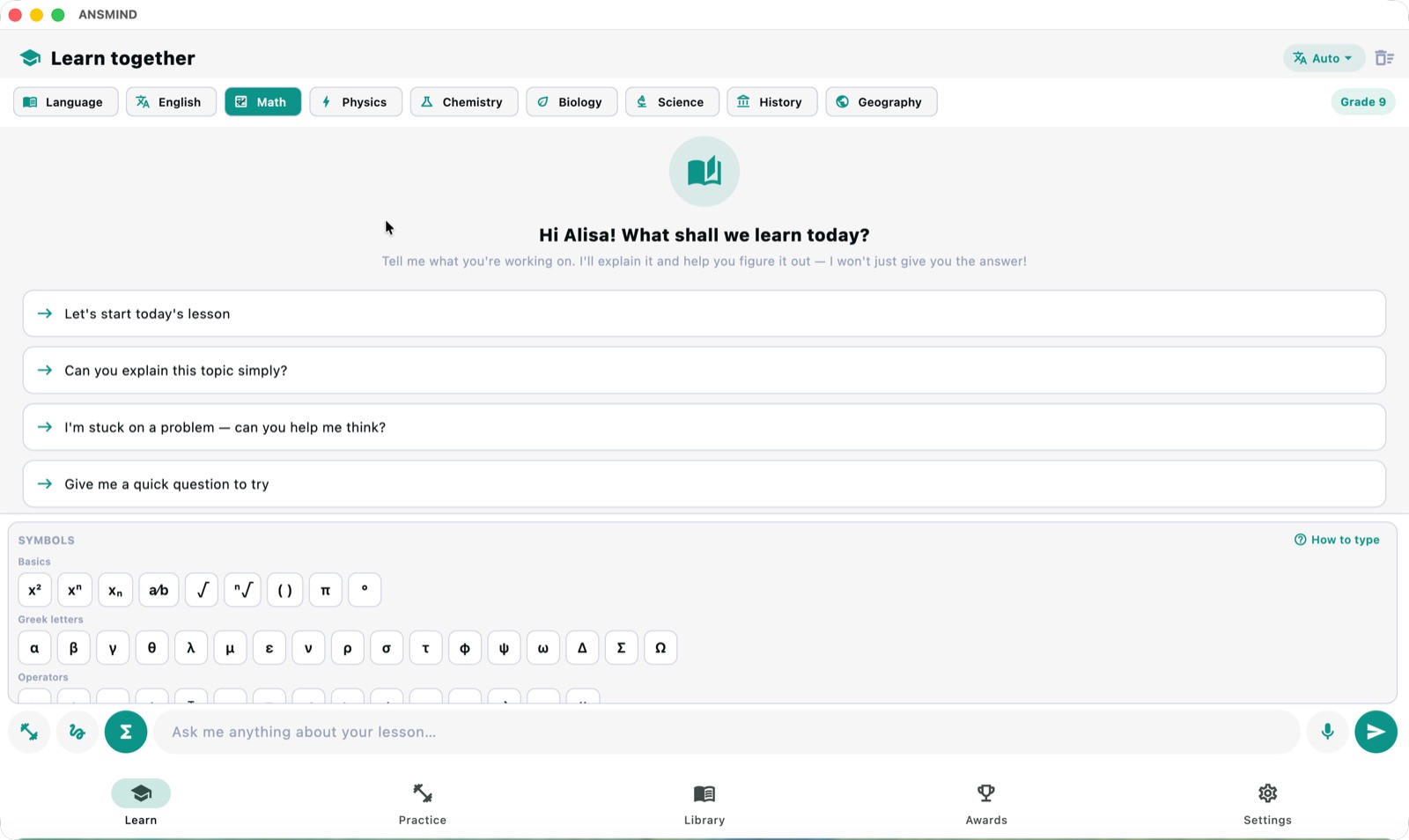
Study Buddy home — subject tabs from Language to Geography, grade selector and math symbol keyboard
Study Buddy · a private tutorLearn together — every subject and grade level, with a math-symbol keyboard — and every student conversation stays on your hardware.
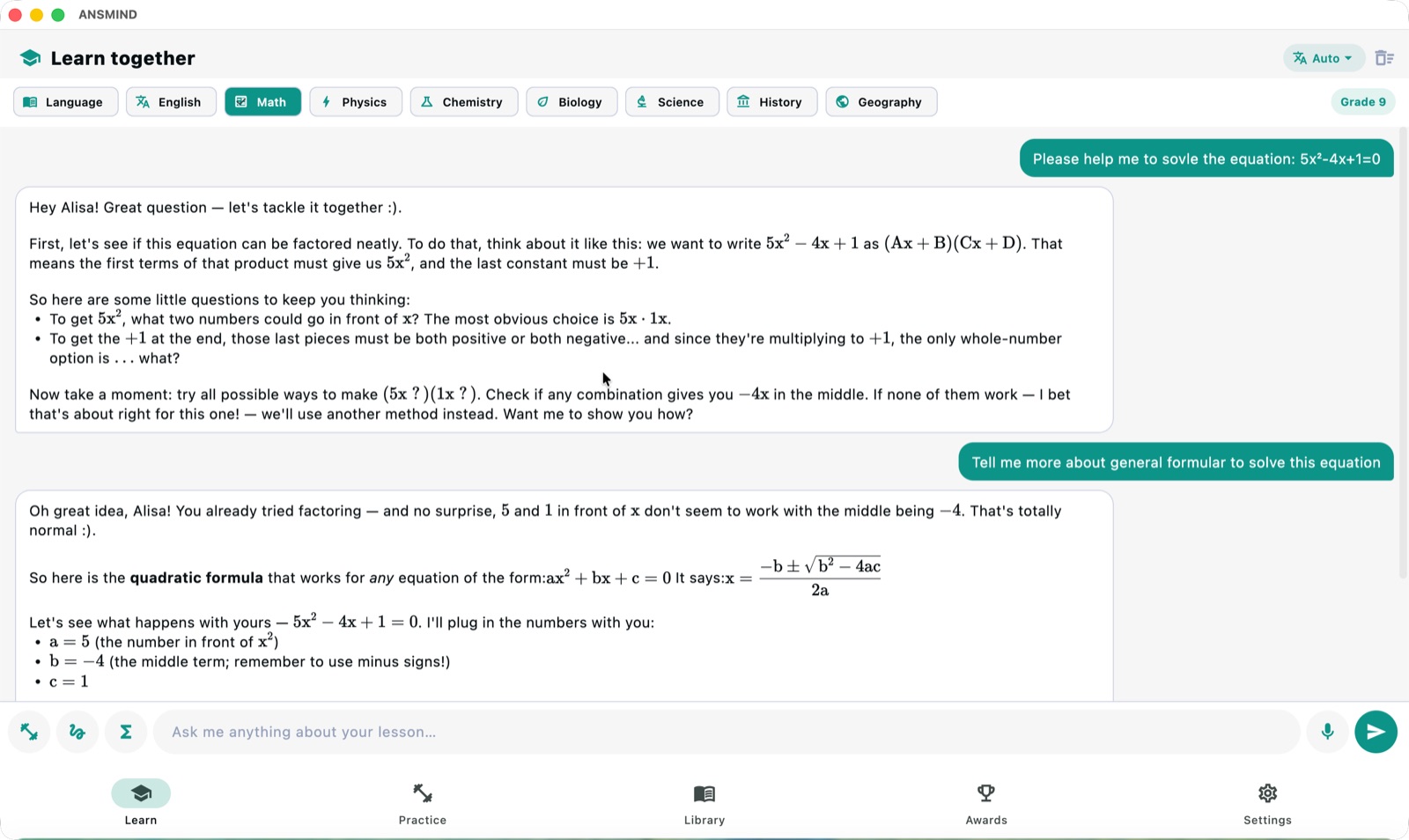
Study Buddy tutoring a quadratic equation step by step with rendered math, guiding rather than answering
Study Buddy · a private tutorSocratic tutoring — guides the working step by step, and never just gives the answer away.
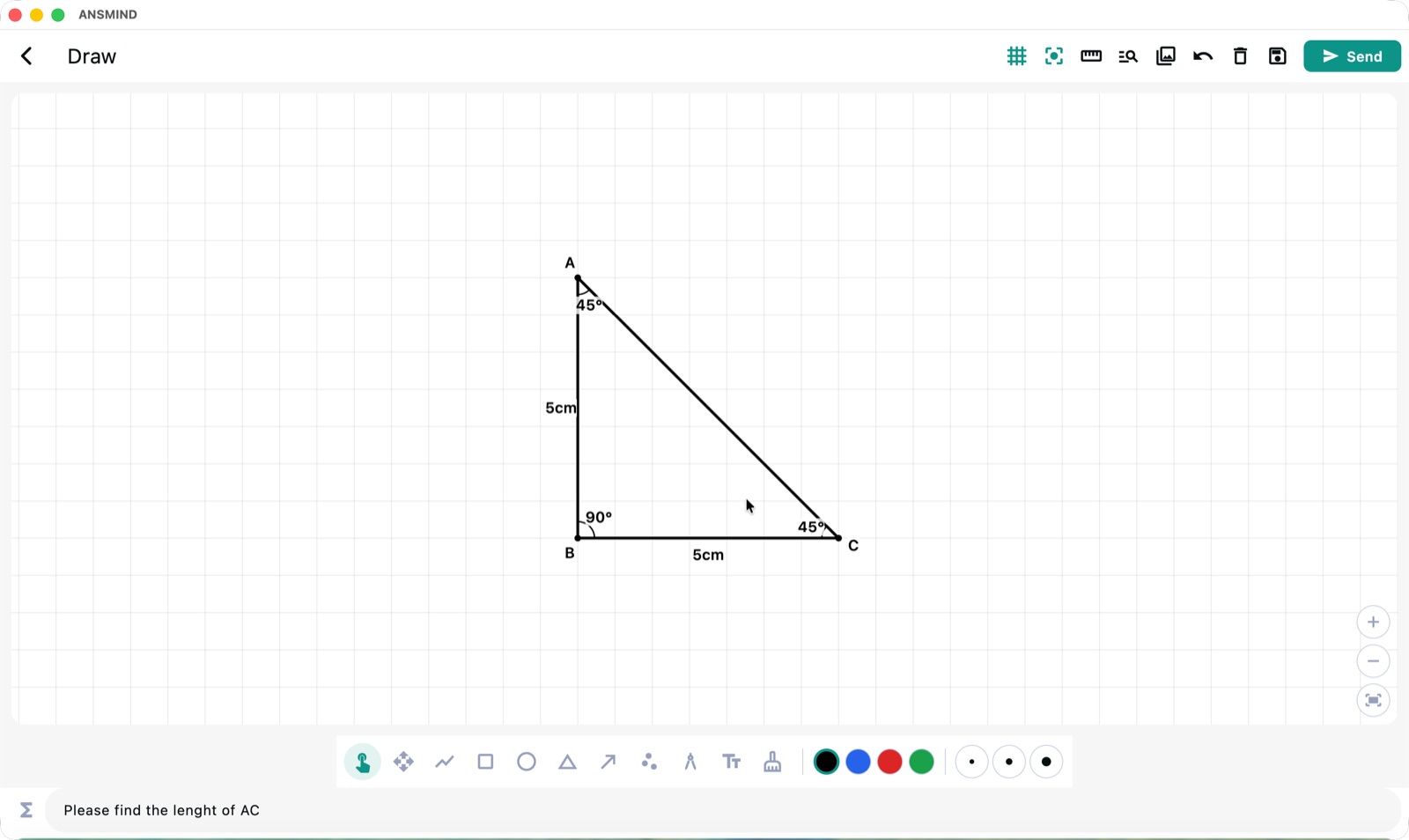
Study Buddy drawing canvas with a hand-drawn right triangle and the question please find the length of AC
Study Buddy · a private tutorDraw the problem — sketch a figure on the canvas and ask about it; the AI reads the drawing.
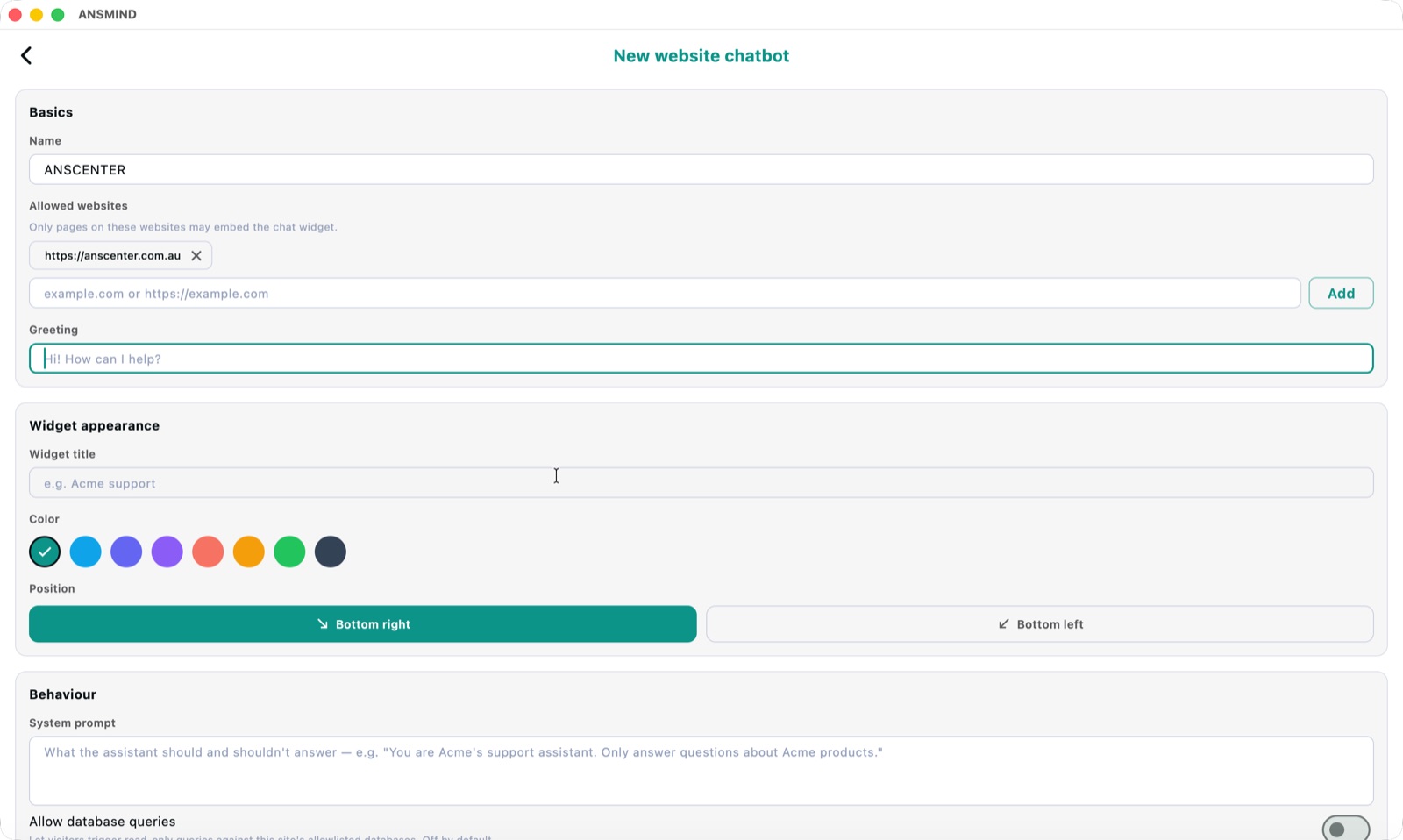
New website chatbot setup — allowed websites, greeting, widget colour and position
Reach any audienceWebsite Chatbot — branding, behaviour and allowed sites, configured in minutes.
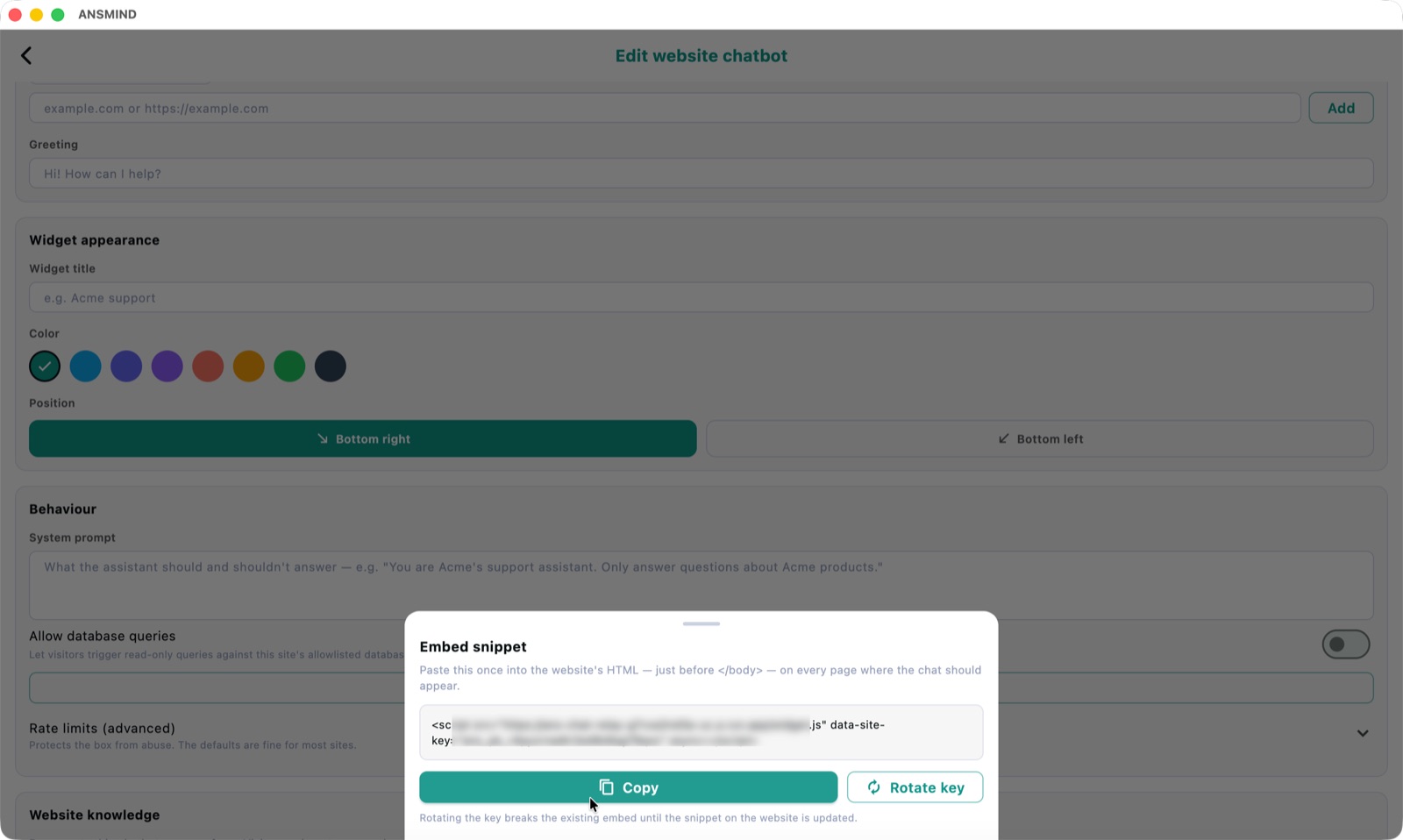
Embed snippet dialog for the website chatbot with copy button and rotate key
Reach any audienceOne snippet to embed — paste it once before </body> and the box answers on your public site.
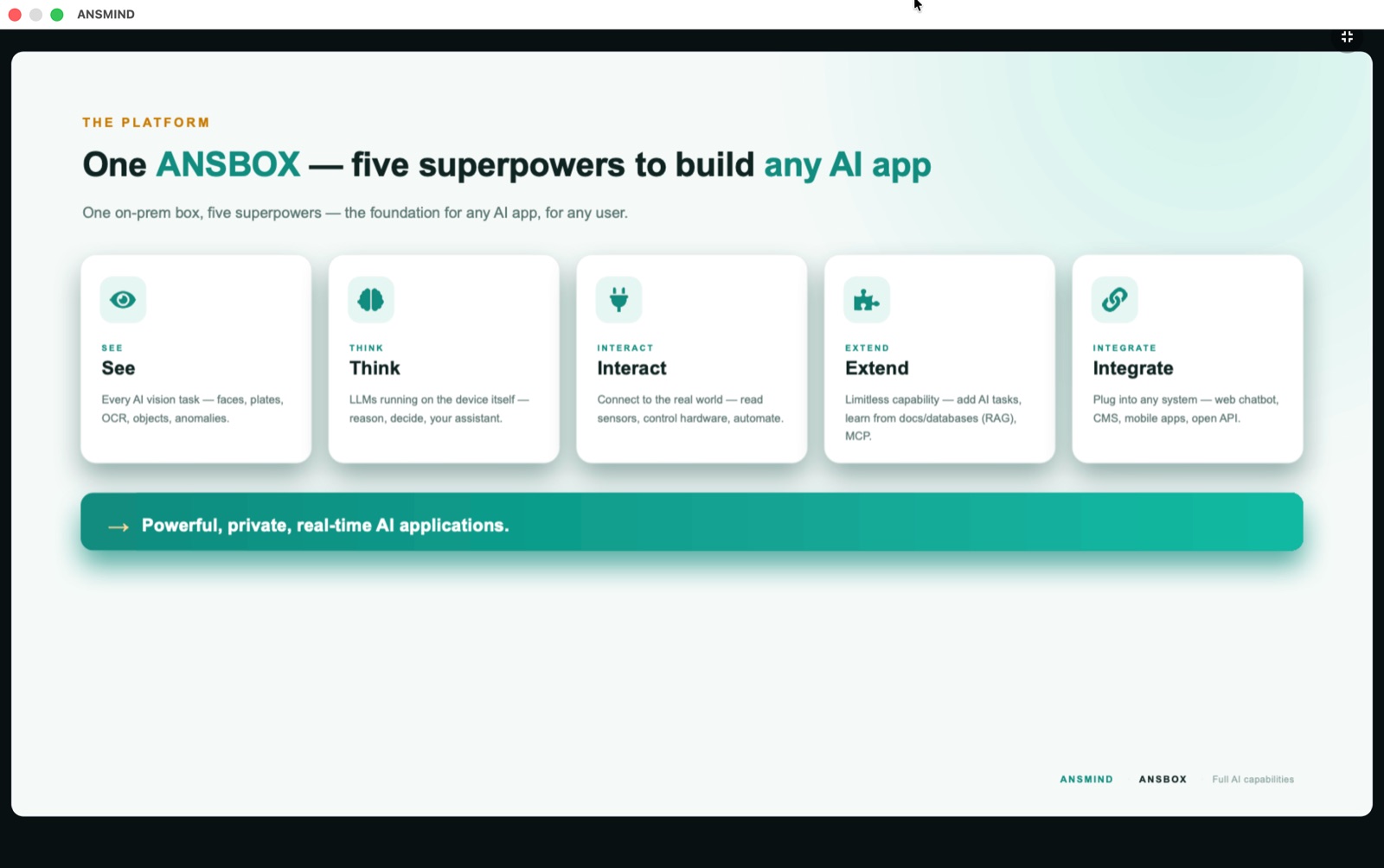
Presenter app showing a slide titled One ANSBOX — five superpowers to build any AI app
Reach any audiencePresenter — import a .pptx and get an auto-narrated slideshow with hands-free Q&A.

Customise & extend

Build your own AI application — fast.

Train new AI tasks, fuse them with the local LLM, and ship apps for any user group.

1

Train AI tasks

A model-training studio + ecosystem (ANSTS) to build custom vision tasks.

2

Compose into apps

Combine tasks with the local LLM — plus your docs and databases via RAG.

3

Deploy & demo

Runs on ANSBOX, demoed live in ANSVIS — no cloud needed.

ANSMIND Coder

An AI coding crew, on your own hardware.

Describe what you want in plain language and ANSMIND Coder plans, writes and deploys it — and with crew coding, it spreads the build across every ANSBOX you own, working features in parallel.

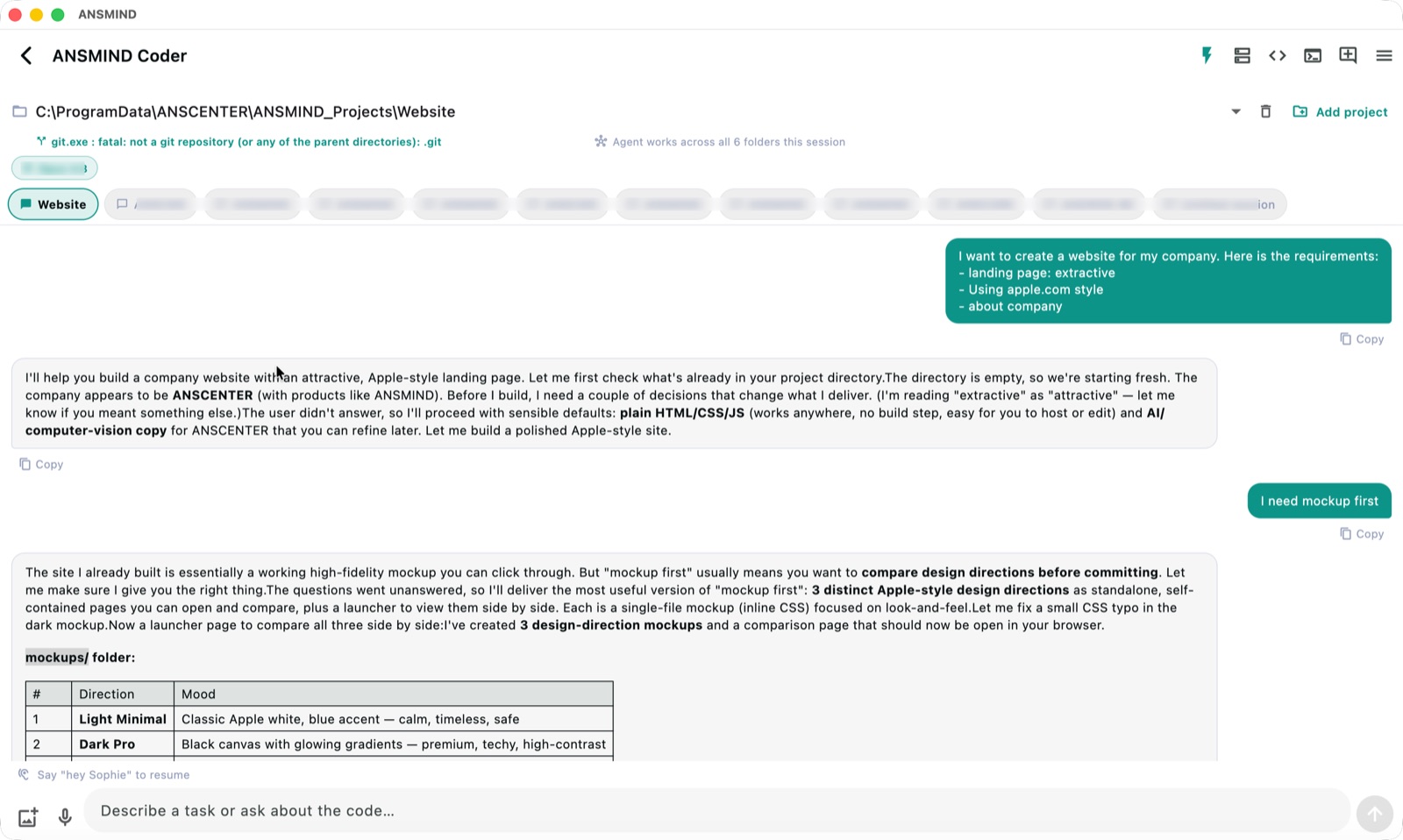
ANSMIND Coder chat — a user asks for a company website in apple.com style and the agent builds mockups and pages, working across all six project folders
Chat to codeDescribe it, get it built — "I want to create a website for my company." The agent scaffolds the project, proposes design directions and builds — across all the repos in the session.
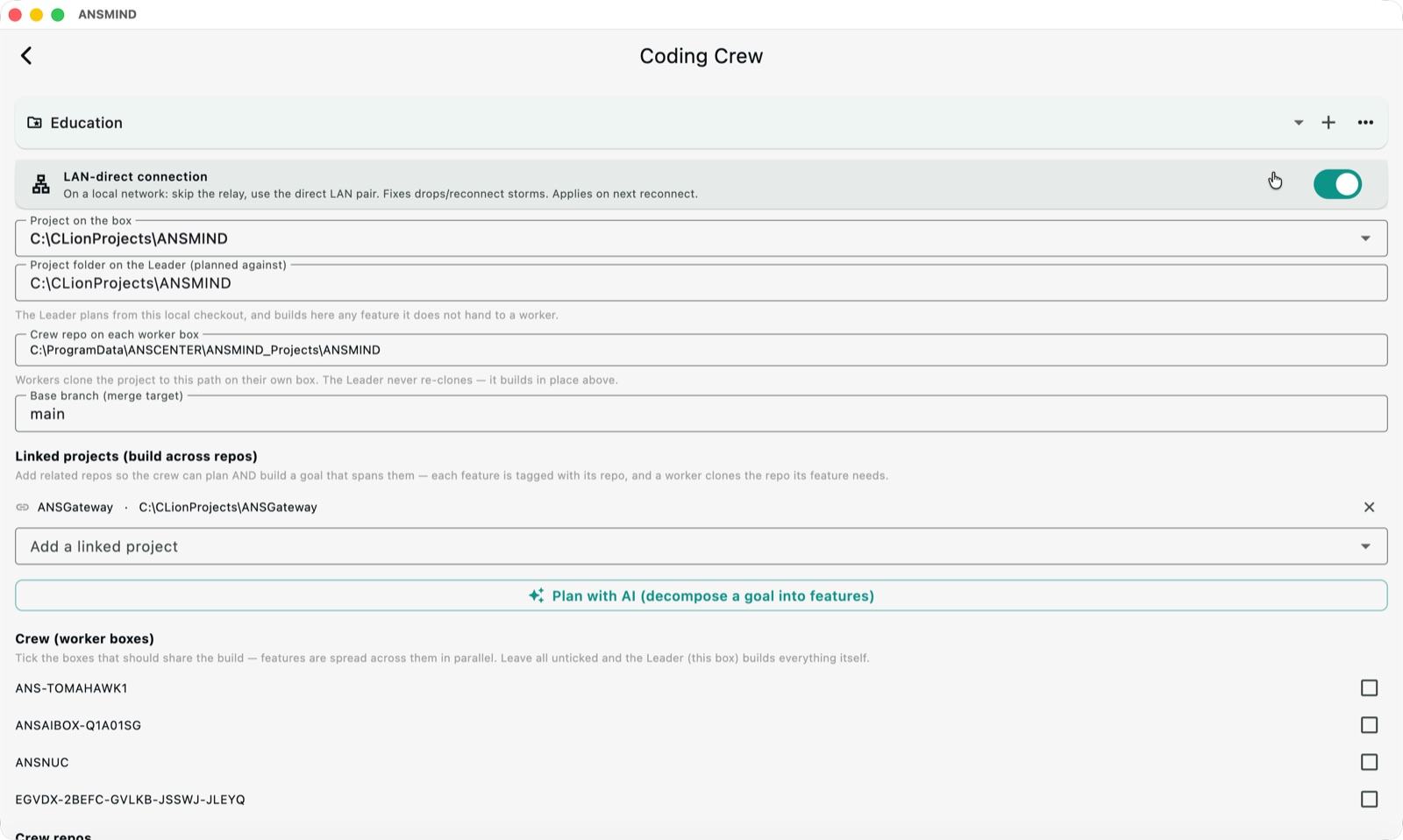
Coding Crew setup — LAN-direct connection toggle, project on the box, crew repo path, base branch, linked projects and a list of worker boxes to tick
Crew coding · one leader, many workersCoding Crew — tick the worker boxes that share the build; features spread across them in parallel, with LAN-direct sync and linked repos.
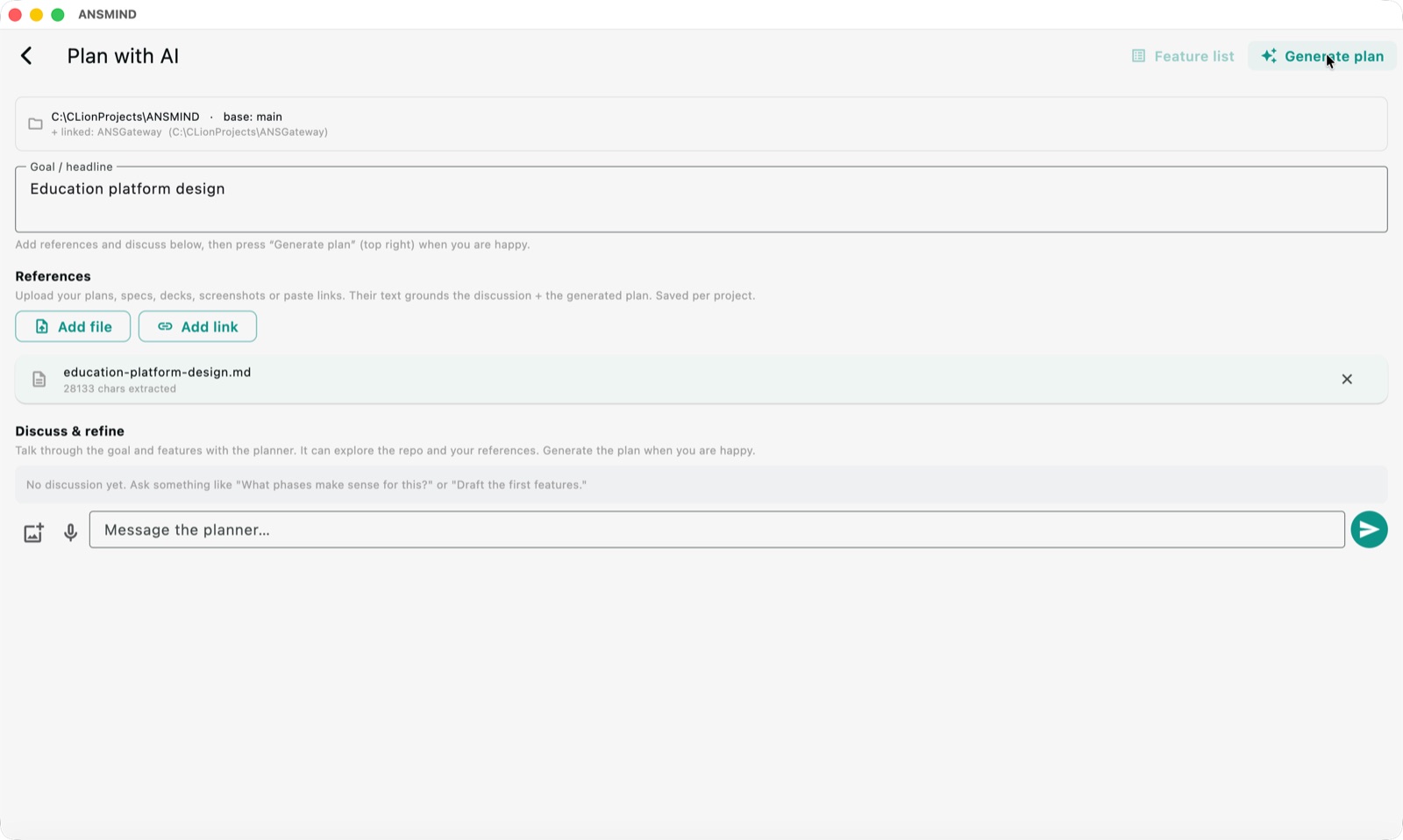
Plan with AI — a goal called Education platform design grounded by an uploaded reference document, ready to generate a plan
Crew coding · one leader, many workersPlan with AI — set a goal, drop in specs or decks as references, discuss, then generate the feature plan.
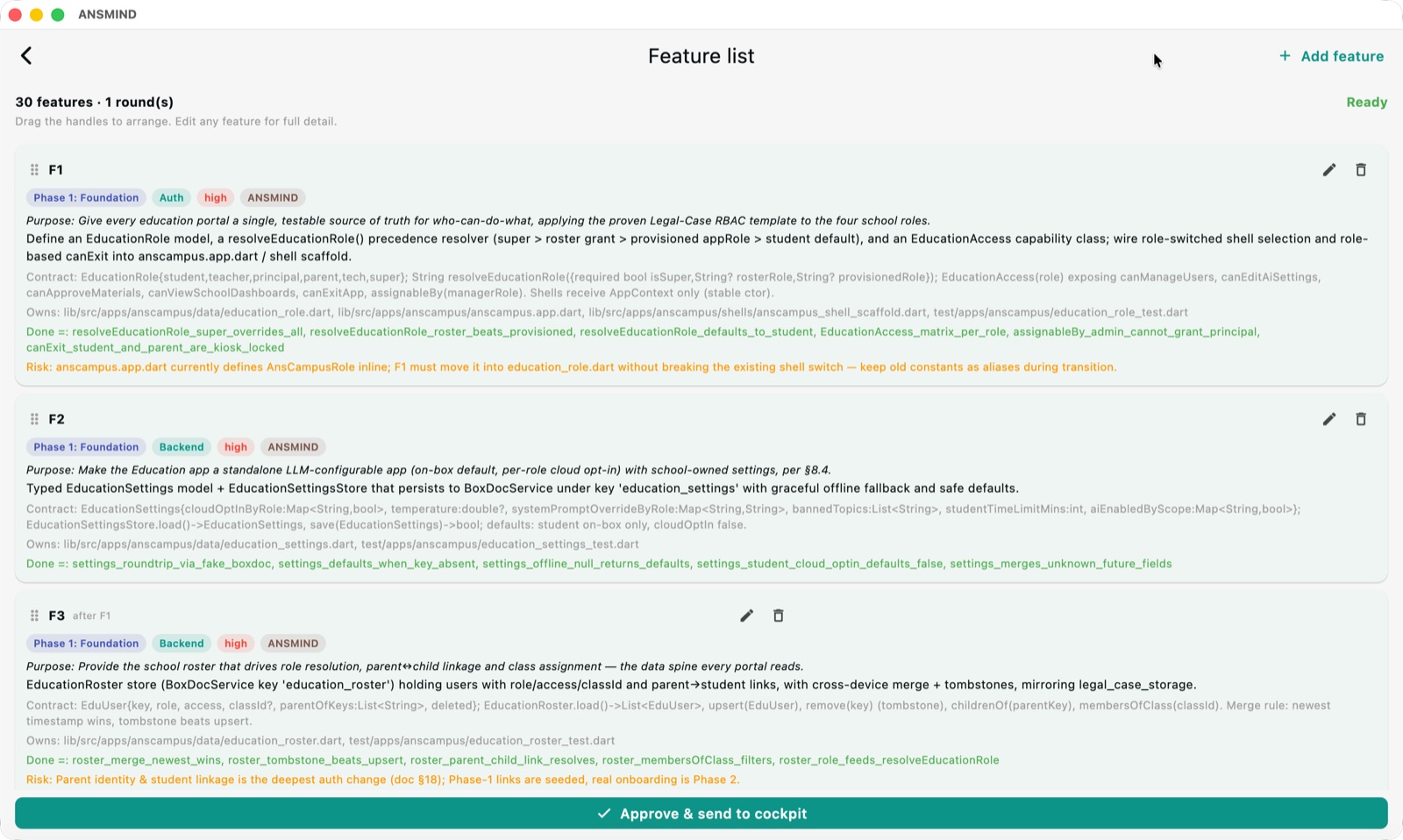
Generated feature list — 30 features with phases, priorities, contracts, owned files, done criteria and risks, ready to approve and send to the cockpit
Crew coding · one leader, many workersThe plan, decomposed — 30 features with contracts, owned files and done-criteria — approve and the crew builds them in parallel, merging back to the base branch.
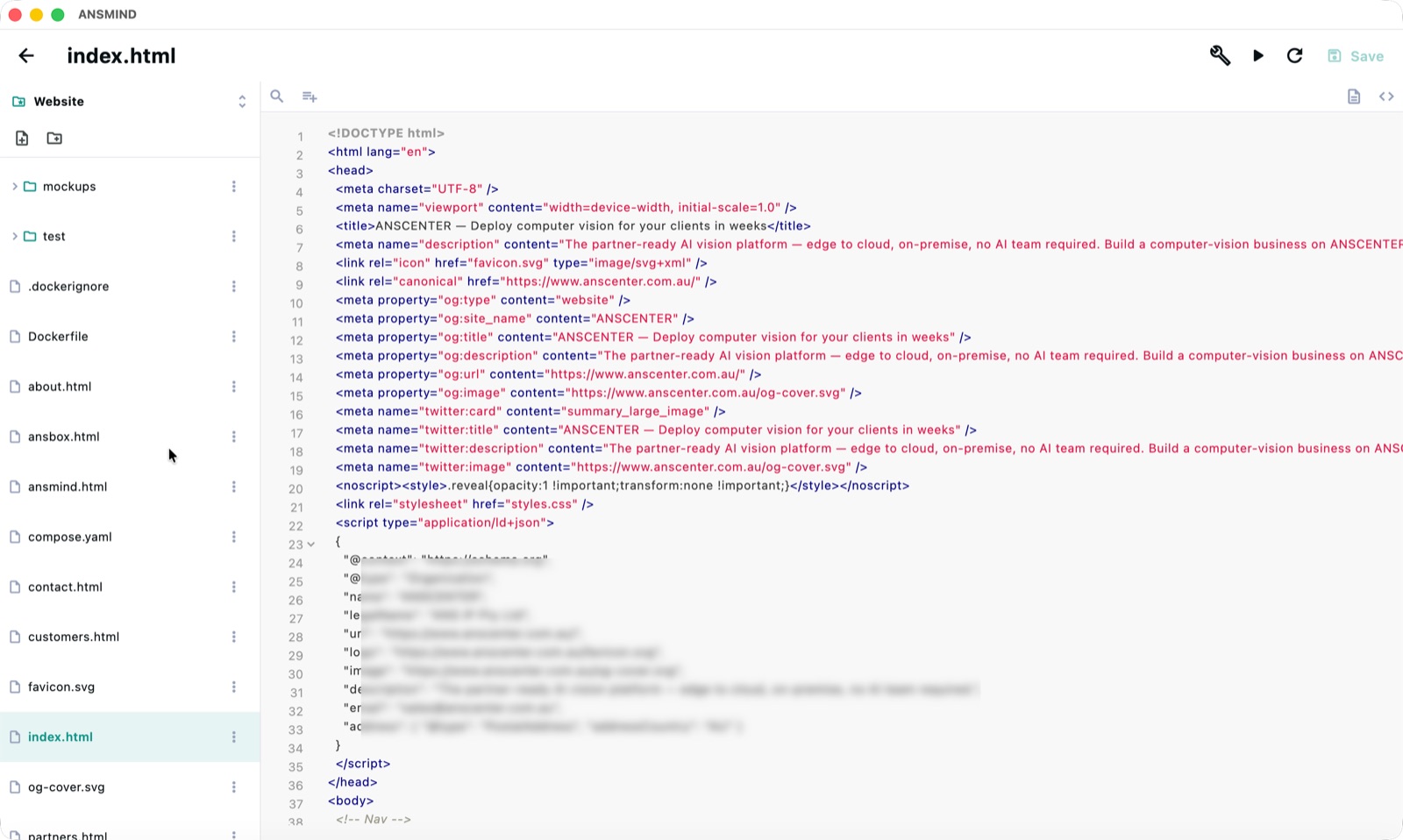
Built-in code editor with file tree and syntax-highlighted HTML open at index.html
On-box editorFull editor on the box — browse the tree, read the diffs, edit by hand when you want to.
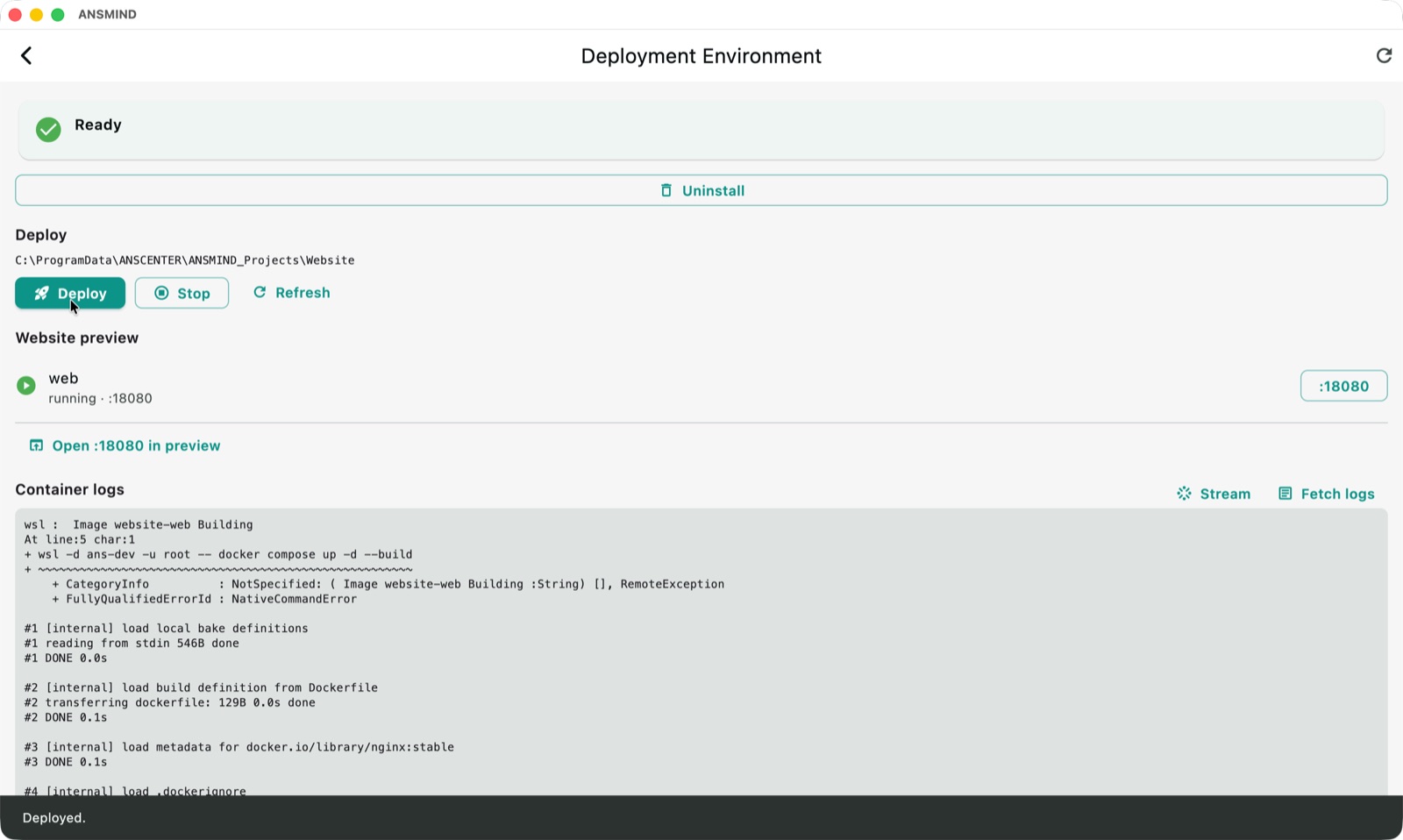
Deployment environment — one-click deploy with Docker container logs and a running web preview on port 18080
Ship itOne-click deploy — the box builds and serves the project in containers, logs streaming live.
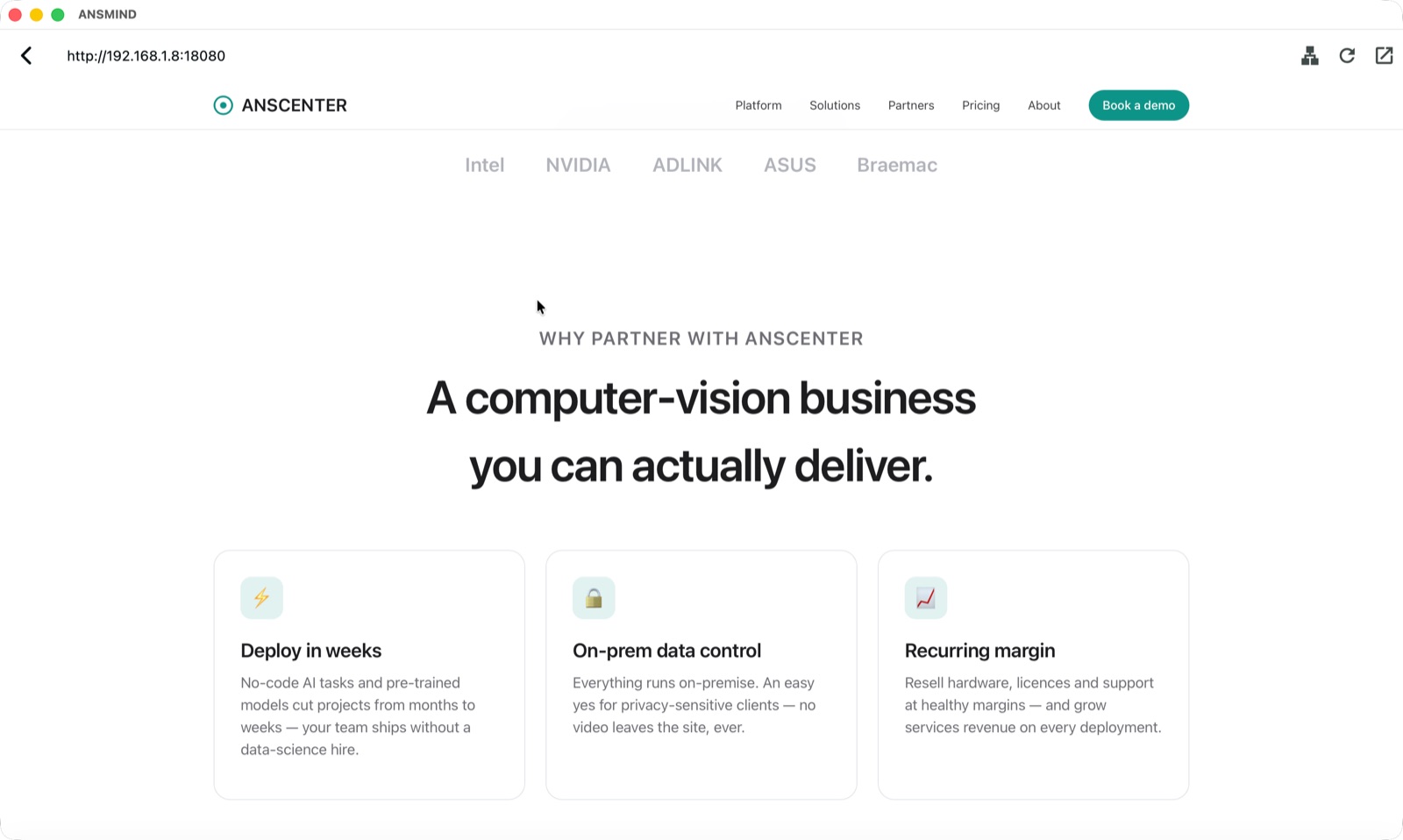
In-app browser preview of the freshly deployed website served from the box on the local network
Ship itInstant preview — the deployed site, served from the box, browsable from any device on the network.

From one box to a fleet

Thousands of devices. One dashboard.

Boxes connect and share load — add a box to add capacity. Centralised management keeps every site, device and model version in view.

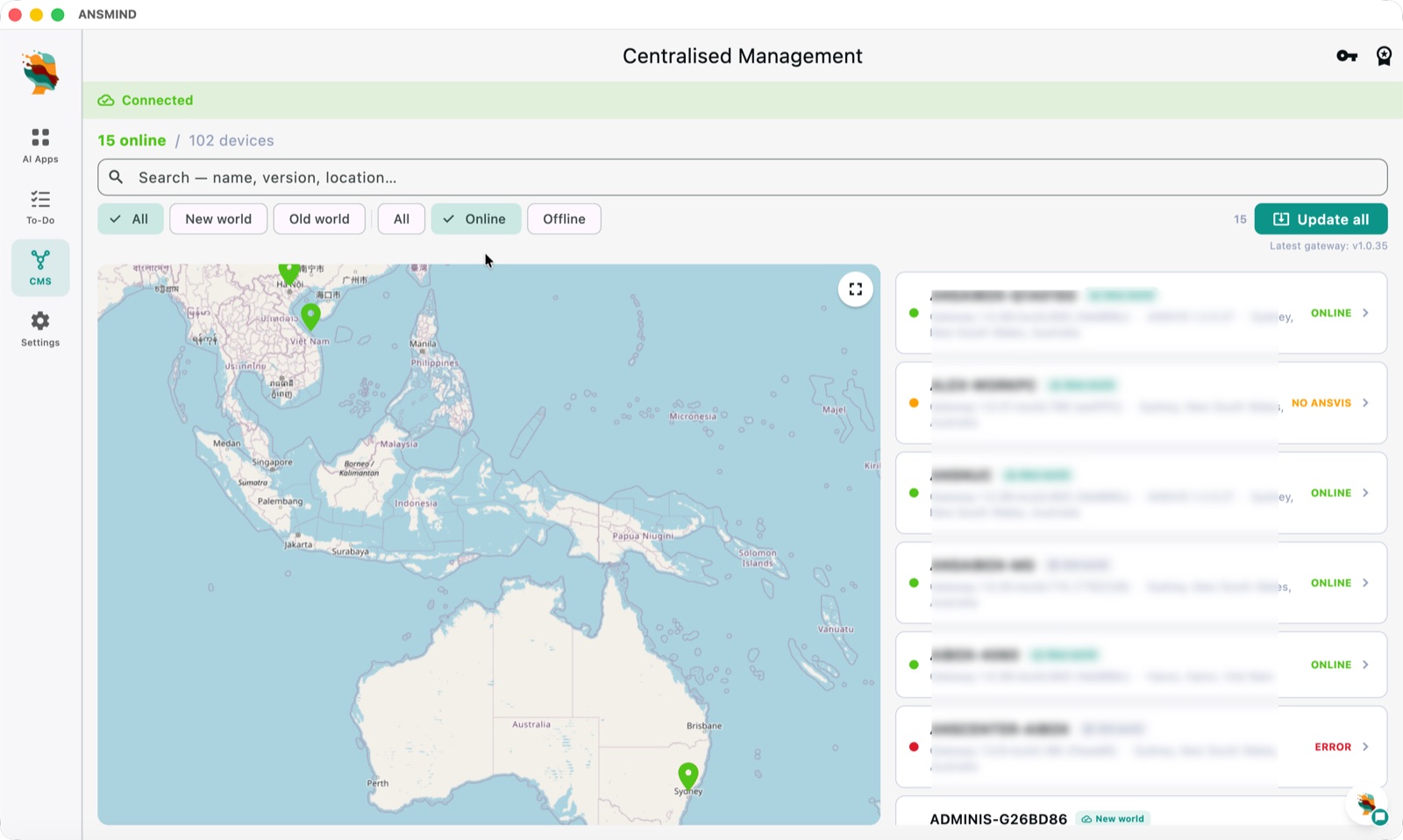
Centralised management — 15 of 102 devices online on a map spanning Vietnam and Australia, with per-device status and one-click update all
Every site on one mapCentralised management — 102 devices across countries on one map, with live status and one-click "Update all."
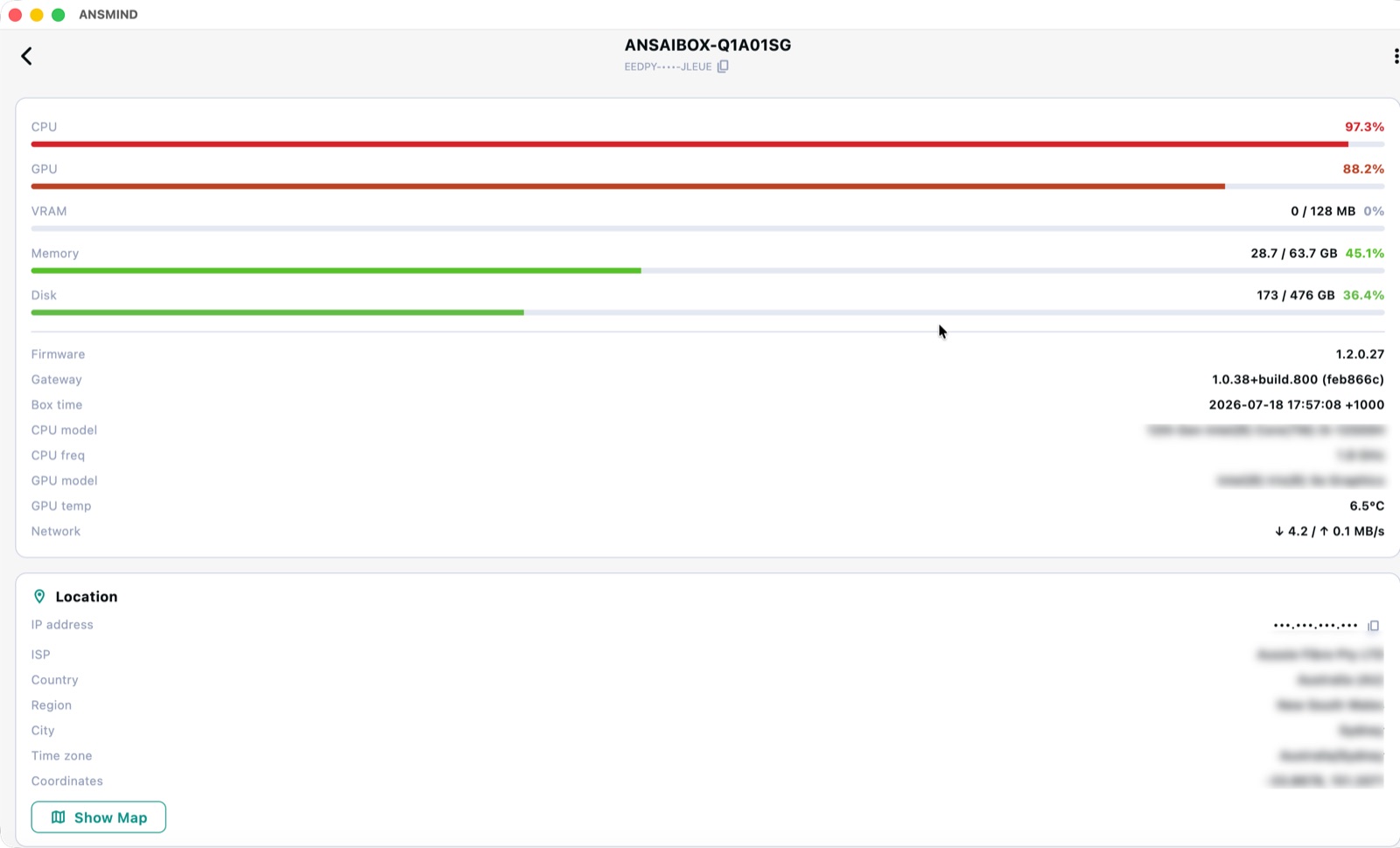
Device detail — CPU, GPU, VRAM, memory, disk usage plus firmware, gateway version and location for one ANSBOX
Every site on one mapDevice health — CPU, GPU, memory, disk, firmware and location for every box in the fleet.
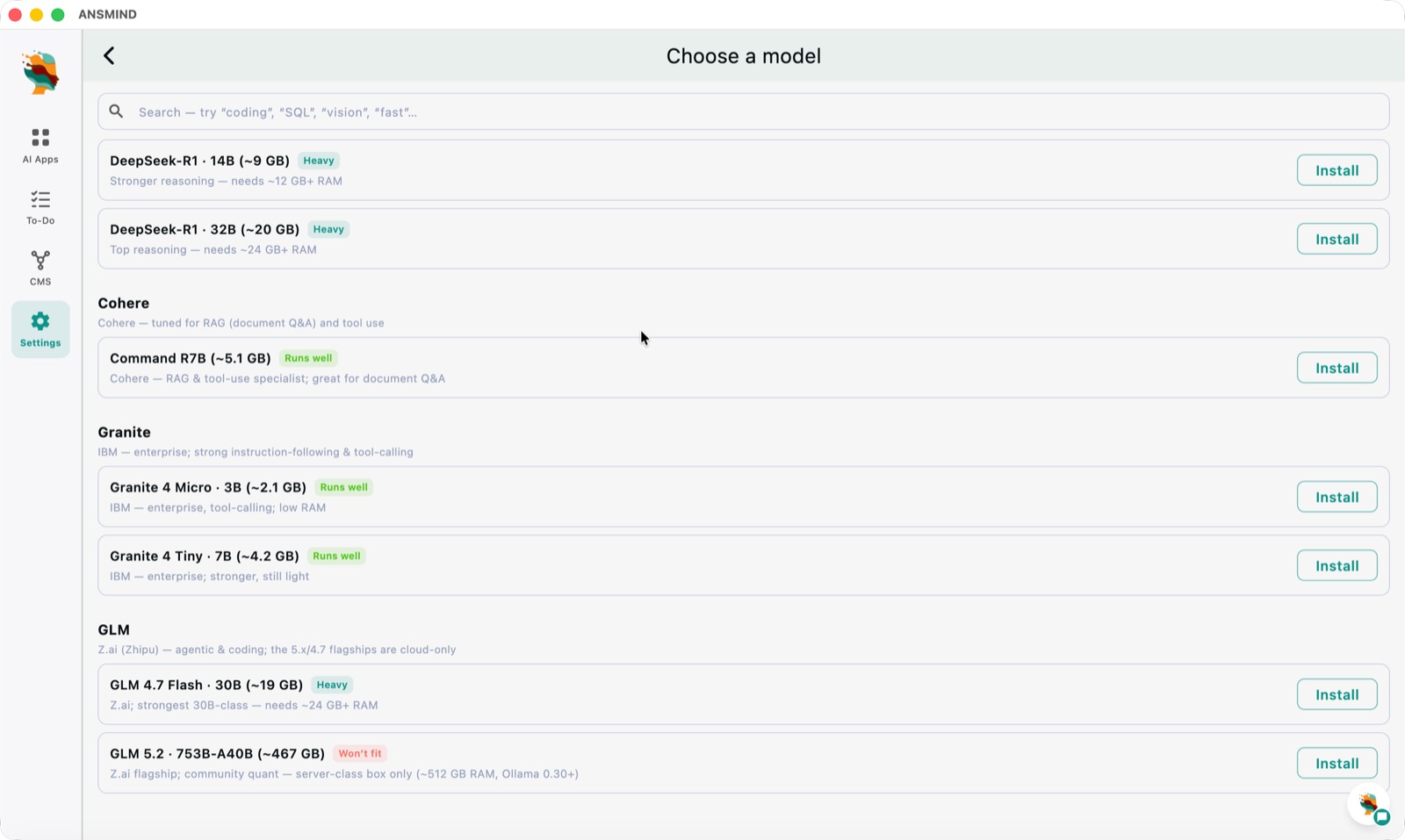
Choose a model screen — DeepSeek-R1, Cohere Command R7B, IBM Granite and GLM models with RAM guidance and install buttons
Your choice of modelPick your brain — install DeepSeek-R1, Command R7B, Granite or GLM on the box; a high-spec ANSBOX can even run a frontier model like GLM 5.2, fully on-prem.
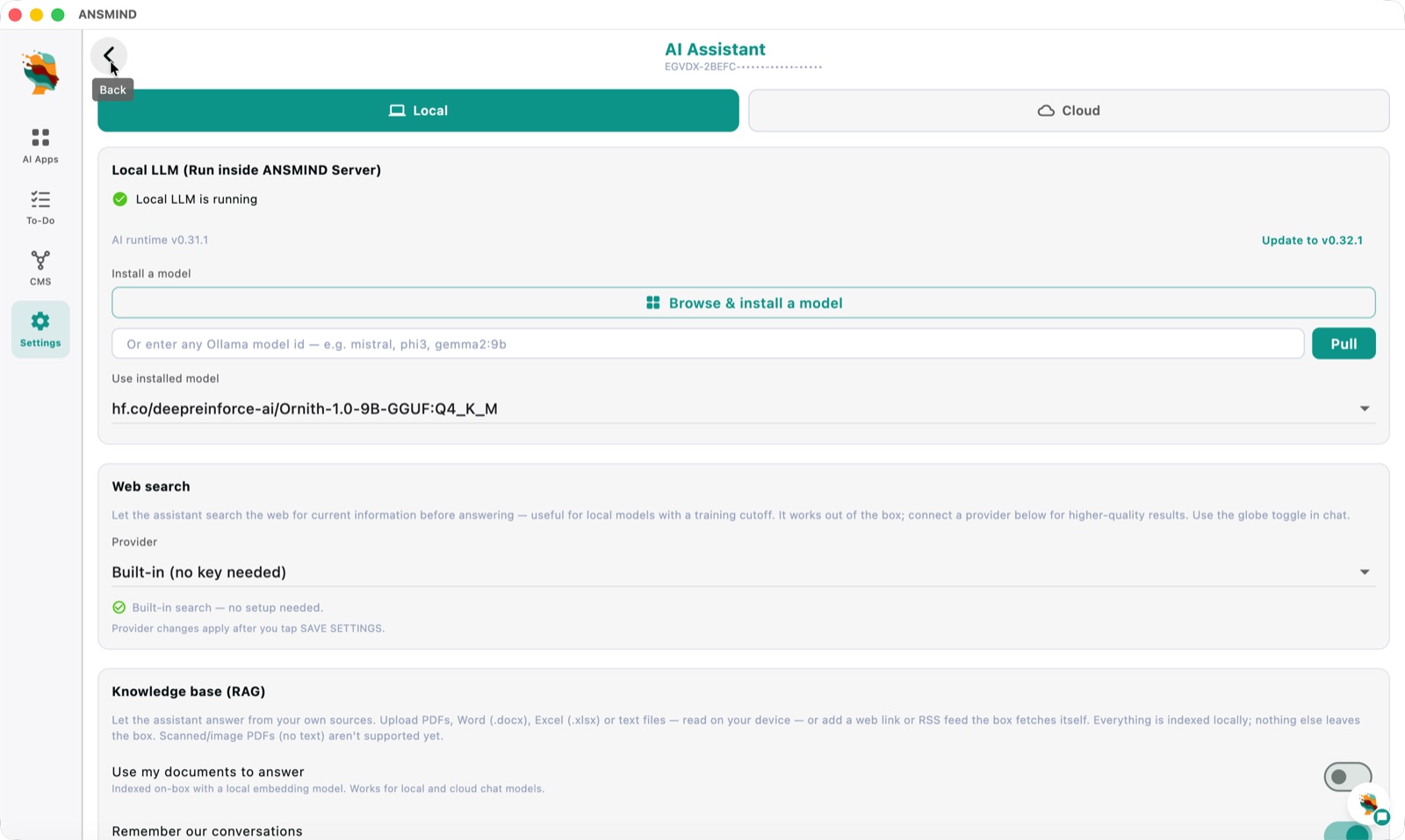
AI Assistant settings — local LLM running inside the ANSMIND server, web search provider and a knowledge base with RAG over uploaded documents
Your choice of modelLocal by default — the LLM runs inside the ANSMIND server, with optional web search and a RAG knowledge base indexed on-box.

Private by design

The LLM runs on the box. Your data never leaves.

Vision, language and your knowledge base all live on-device. No frames, no transcripts and no metadata are sent to the cloud — and there are no per-camera monthly fees. Compliance teams say yes faster.

Works everywhere

One assistant, every screen.

The same ANSMIND, cross-platform — native on desktop and mobile, wherever your team works.

🖥️

macOS

The full operator console — dashboards, chat, event search, coder and reports.

🪟

Windows

The same full console for Windows desktops across the control room.

🐧

Linux

Run the console on Linux workstations — right alongside your boxes.

📱

iPhone

Alerts, live chat and quick checks from anywhere on site.

🤖

Android

The same alerts and chat on Android phones and tablets.

📟

iPad

A roaming dashboard for supervisors walking the floor.

See ANSMIND on your own cameras — and your own code.

Book a walkthrough of AI Vision, the AI Apps catalogue and crew coding, or talk to us about reselling ANSMIND and ANSBOX to your clients.