
ANSDL is a collection of LabVIEW VI toolkits that drop AI models and vision functions straight into your block diagram — detection, faces, plates, OCR and more. No deep AI or programming knowledge required.
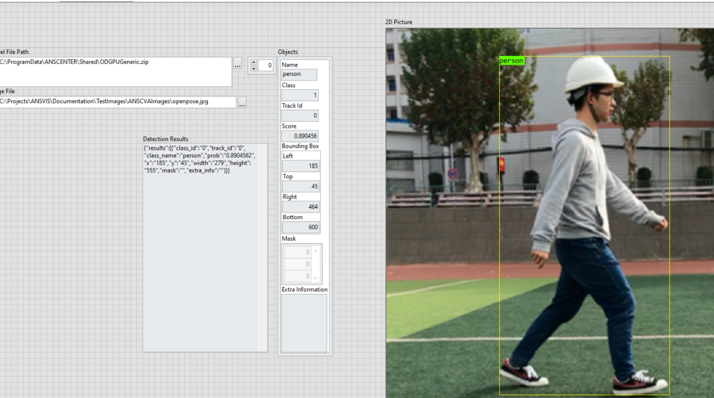
How it works
Use the VIs like any native LabVIEW function. Wire them up and the AI runs inside your application.
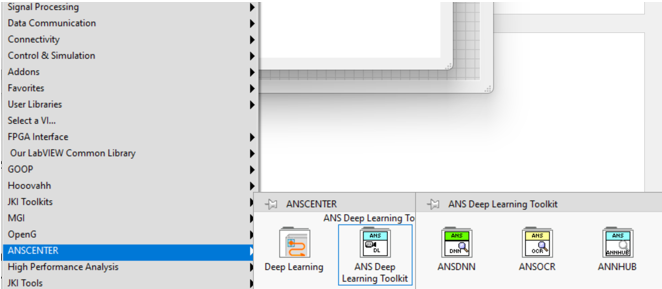
Add ANSDL and it appears in your LabVIEW Functions palette.
Point a VI at a model from ANSTS, ANNHUB, DLHUB, ODHUB or a built-in.
Create, run inference and destroy — plus helpers to draw results.
Execute on Intel or NVIDIA GPUs, with TensorRT optimisation.
Get objects, boxes, text and JSON straight into your VI.
One collection, eight toolkits
Mix and match what your application needs — each toolkit is licensed on its own.
Run machine-learning models trained in ANNHUB.
Run deep-learning models trained in DLHUB.
Run object-detection models trained in ODHUB.
Run detection, classification and anomaly models from ANS Training Studio.
Face recognition inside LabVIEW applications.
Optical character recognition to extract text from images.
Automatic licence-plate recognition.
Camera drivers and computer-vision tools for capture and analysis.
Pre-built VIs
Every function ships as ready-made VIs. Wire an image in and read the results out — no AI code, no external process to manage.
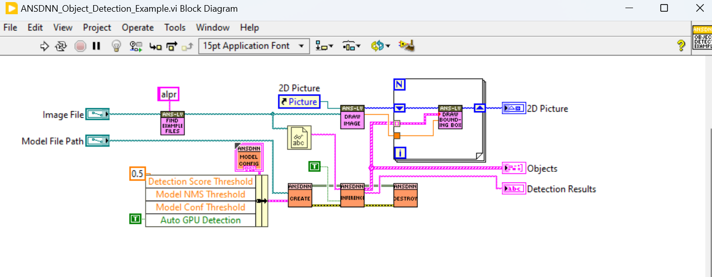
Native integration
Install once and an ANSCENTER palette appears in your Functions menu, right alongside NI's own. It works inside the projects you already have.
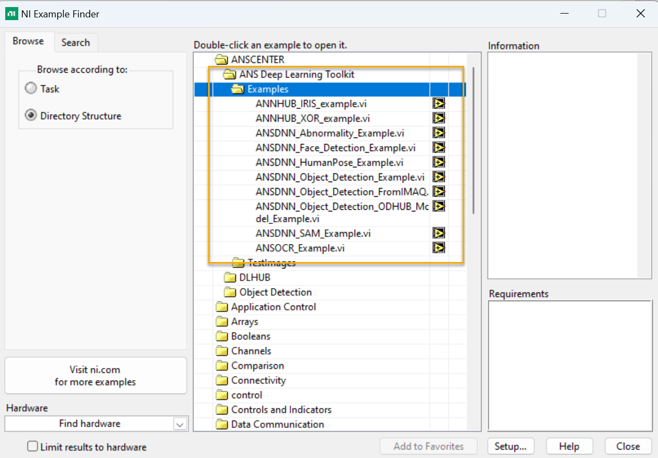
Rapid prototyping
Every toolkit ships with ready-to-run examples in the NI Example Finder. Open one, run it, and adapt it to your project in minutes.
Why ANSDL
Pre-built functions do the heavy lifting — no complex code to write.
The VIs behave like any other — inputs, outputs and wires you already know.
YOLO v4/v8/v9 detection, SAM segmentation, face detection and multilingual OCR.
Intel and NVIDIA GPUs, with TensorRT optimisation for maximum speed.
Keep running the ANNHUB, DLHUB and ODHUB models you already built.
A working VI for every function to jump-start your project.
Where engineers use it
Add AI vision to LabVIEW test rigs and automated measurement systems.
Detect defects, read codes and verify parts inline on the production floor.
Feed detections and poses into motion control and robotic guidance.
Explore modern AI in LabVIEW labs and classrooms without writing AI code.
Wire AI results into PLCs, DAQ and control systems already in LabVIEW.
Stand up a working vision proof-of-concept from an example in an afternoon.
Tell us the function you need — detection, faces, plates, OCR or your own model — and we'll show it running inside LabVIEW.